EasyManua.ls Logo

Yamaha TX 816 - Page 74

Yamaha TX 816
79 pages
Print Icon
To Next Page IconTo Next Page
To Previous Page IconTo Previous Page
Loading...
ADDING
MORE
MODULES
TO
THE
TX216
Adding
more
TF1
modules to
the TX216
is
a very
simply done,
and will
greasily
increase its
performance
potential.
You
can add up to
six more
modules,
making a
total of
eight, in
which case
your
TX216 would
then
function in
exactly the
same
way as a
TX816,
This how it's
done:
PLEASE
READ THE
FOLLOWING
PRECAUTIOHS
BEFORE
INSTALLING
A TF1
:
+ +
D0
NOT touch the
printed
circuit
board
on the
TF1 .
It is
highly
sensitive
and can
easily be
damaged by
static
electricity.
+ +
D0 NOT
touch or
in anby
way
stain the
gold-plated
card
edge
connectors
on the
TF1
.
It must be
kept absolutely
clean and
untarnished, so
that good
contacts may be
made
when it
is
inserted.
+ +
D0 NOT
remove the
TF1
unless It
is
absolutely
necessary
(e.g.
for
a
battery
change). The
card
edge
connectors
cannot
stand up to
repeated
removals
and
installations.
+ +
D0
NOT place
the
TF1's
circuit
board close
to any
kind of
electrical
conductor, or
the lithium
battery will be
laiable to
discharge.
1
. Switch the
power OFF
and
unplug the
TX216 from
the
AC supply.
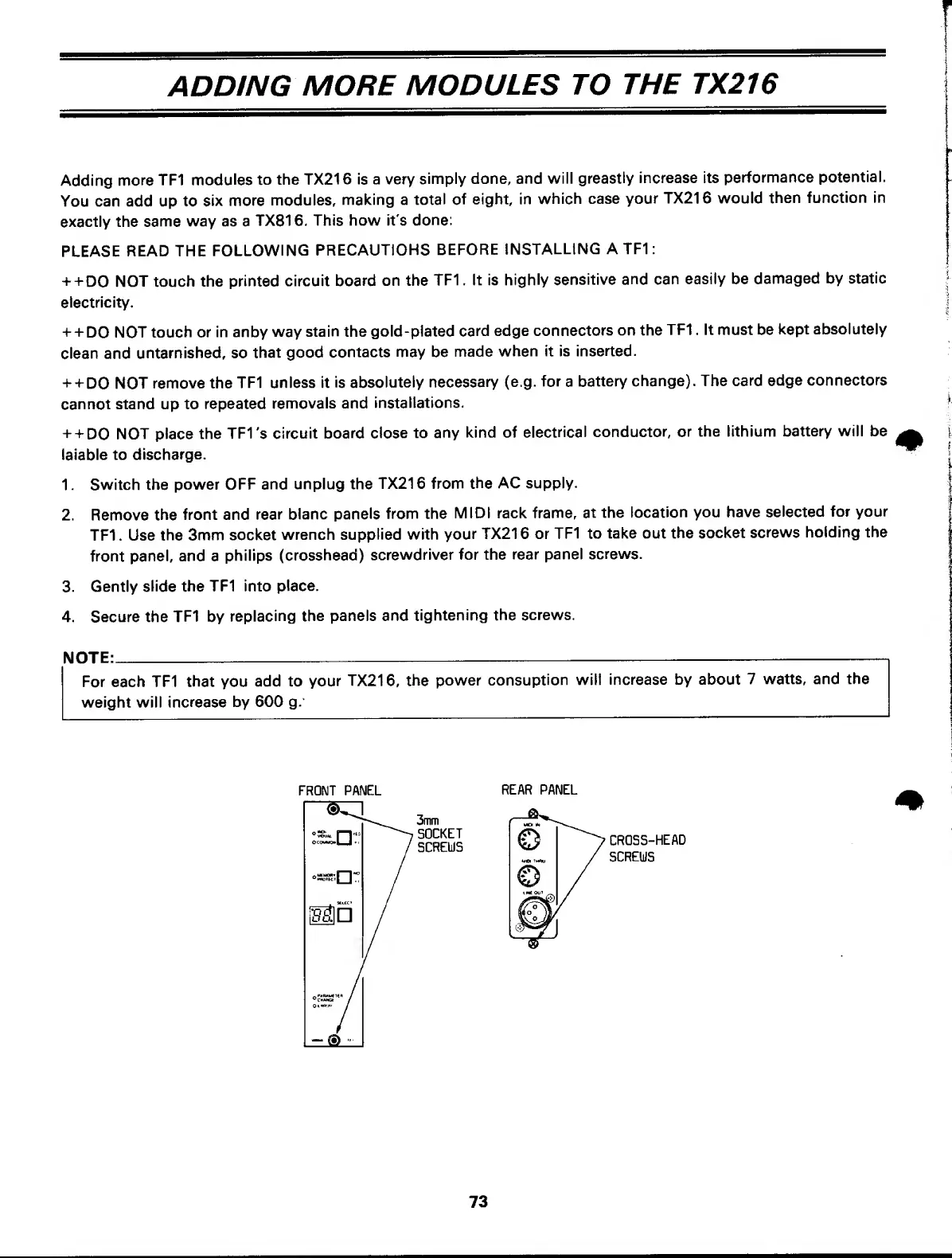
2. Remove
the
front and
rear
blanc
panels
from the
MIDI rack frame,
at
the
location
you have
selected
for
your
TF1 . Use
the
3mm socket
wrench
supplied with
your
TX216 or TF1 to
take out
the
socket
screws
holding the
front
panel, and a
philips
(crosshead)
screwdriver
for the
rear
panel
screws.
3.
Gently
slide the
TF1 into
place.
4. Secure the
TF1
by
replacing the
panels and
tightening
the
screws.
For
each
TF1
that
you
add to
your
TX216,
the
power
consuption
will
increase by about 7
watts, and the
weight will
increase
by 600
g.
NOTE:
FRONT PANEL
REAR PANEL
3mm
SOCKET
SCREWS
CROSS-HEAD
SCREWS
73