TA410/810 User Manual
45/63
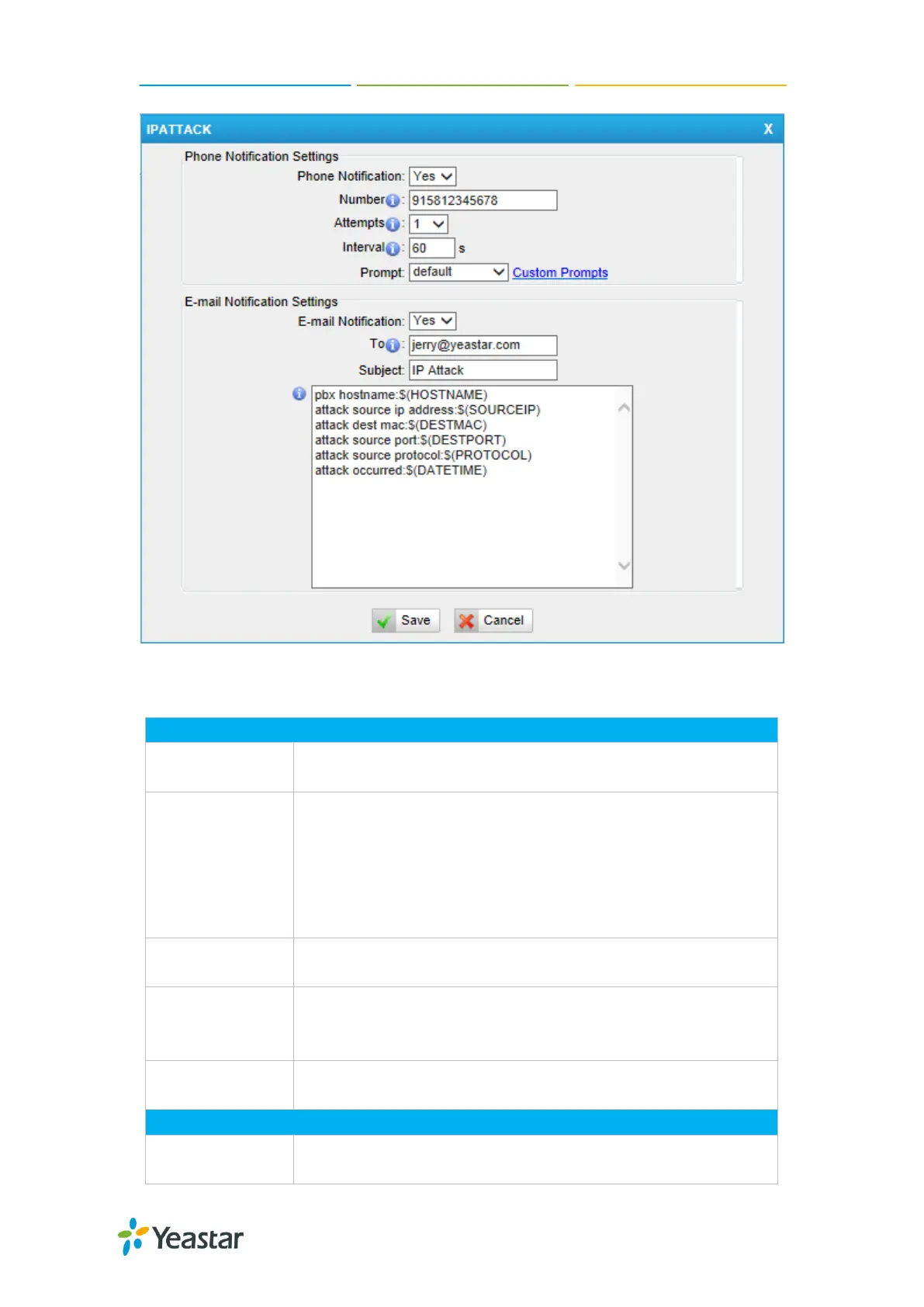
Figure 10-4 Alert Settings
Table 10-1 Description of Alert Settings
Phone Notification Settings
Whether to enable phone notification or not.
The numbers could be set for alert notification; users can
setup multiple extension and outbound phone numbers.
Please separate them by “;”.
Example: “500;9911”, if the extension has configured Follow
Me Settings, the call would go to the forwarded number
directly.
The attempts to dial a phone number when there is no
answer.
The interval between each attempt to dial the phone number.
Must be longer than 3 seconds, the default value is 60
seconds.
Users will hear the prompt while receiving the phone
notification.
Email Notification Settings
Whether to enable E-mail Notification or not.














 To Next Page