F210A &F312A User Manual
Chapter 4 USING IP CAMERA VIA
MOBILE PHONE
4.1. MOBILE PHONE VIEWING
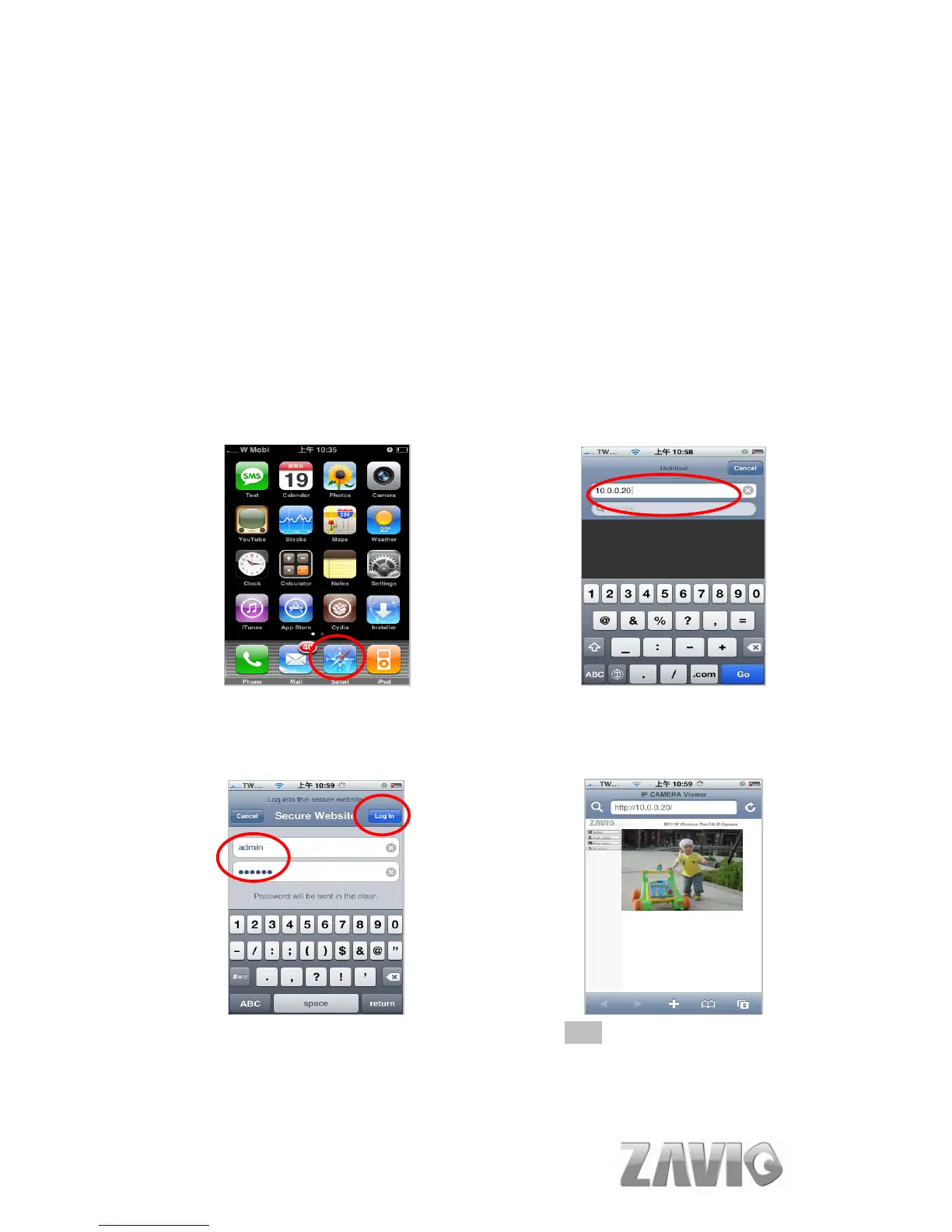
You can use Zavio Web User Interface via iPhone. Please follow the setting
process below. Then you can use Zavio web UI via iPhone.
1. Select Safari function 2. Enter IP address in your web link.
3. Type name and password.
Default value is admin / admin.
Then click Login In
4. The Zavio User Interface and live
image will show up in the middle of
screen.
Note: It will show continuous snapshots not
a real time video streaming. Therefore, the
recording feature is disabled.
8



 To Next Page