F210A &F312A User Manual
Chapter 5 MSN MESSENGER
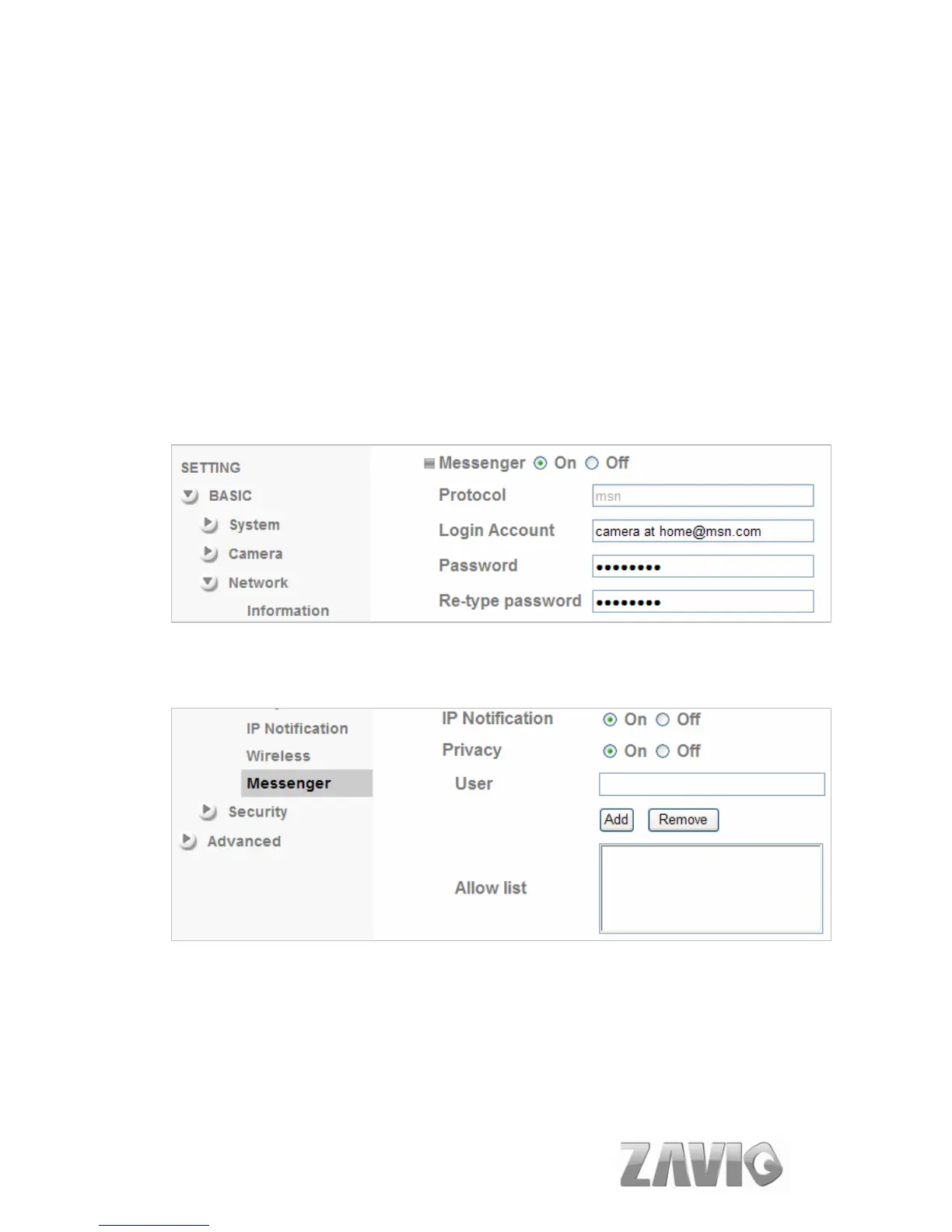
Please see the following steps to set up the Messenger function.
1. Application of a new MSN account: You can download MSN software freely and
create a new MSN account (camera at home) to use Microsoft Live Messenger.
2. Login Account and Password: Go to Setting→Basic→Network→Messenger , set
the Messenger to “ON” . Then, login in new account and password (Camera at
home).
3. IP Notification: Choose “On” at the option of IP Notification. If this feature
switches On, camera will send IP notification to the users who are allowed.
4. Privacy & User & Allow List: Choose “On” at the option of Privacy, then User
column will appear and be able to build Allow List.
5. Log in Working Account: Use your working account to login in the Messenger
software. Then, add the new MSN account (camera at home ).
10



 To Next Page