F210A &F312A User Manual
8.4. SCHEDULE
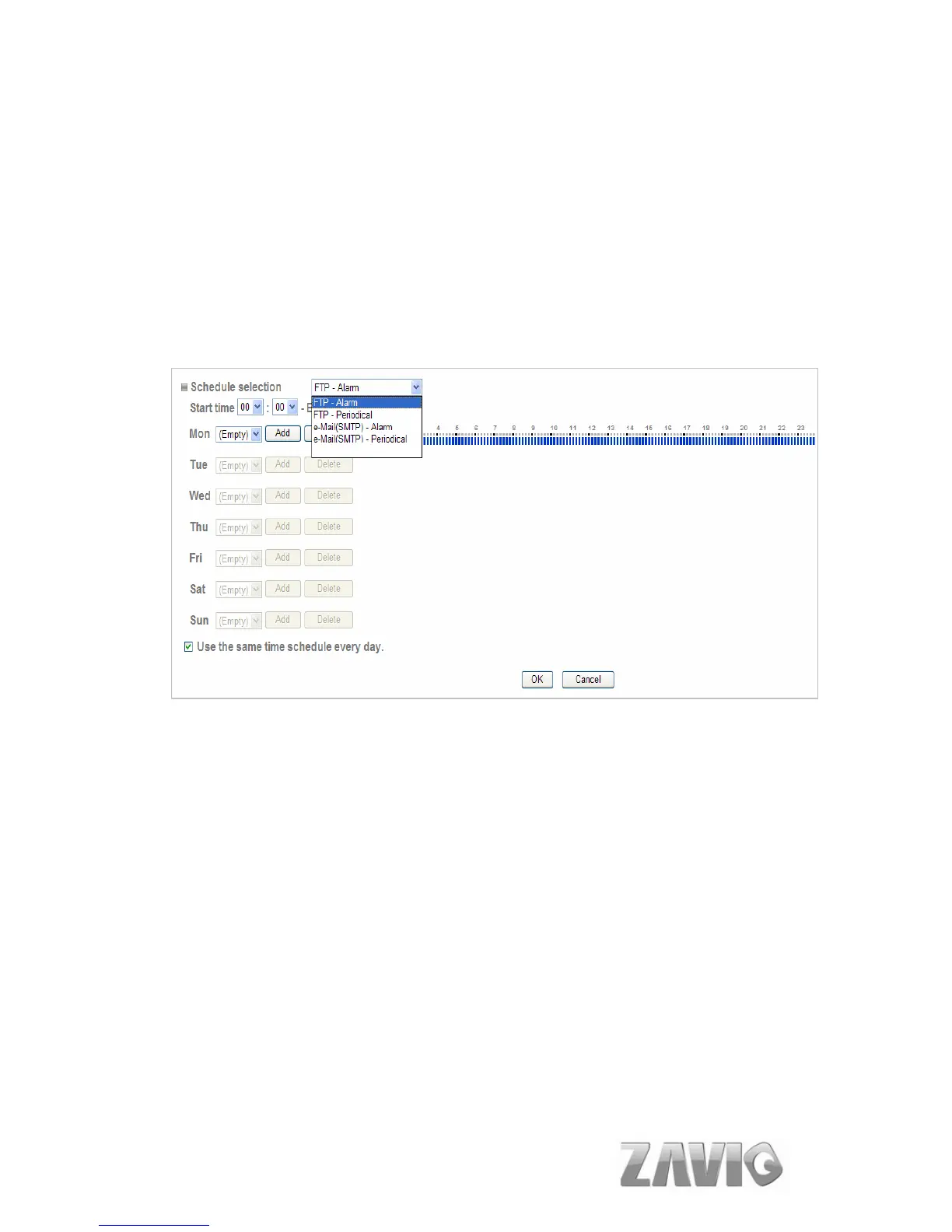
When you click Schedule on the Advance mode menu, the Schedule setting menu
appears. This is the same menu as the setting menu which is displayed when you
click Schedule to set Effective period and Schedule in FTP client setting menu,
and E-Mail (SMTP) setting menu.
Example: When setting e-Mail (SMTP) (the alarm sending) in the Schedule
setting menu.
Schedule Selection: Select the list box to specify the schedule you want to
set.
FTP -Alarm
FTP - Periodical
e-Mail (SMTP) -Alarm
e-Mail (SMTP) -Periodical
Mon (Monday) to Sun (Sunday): The time period on the right of the
checked day is the effective period of the schedule.
Start time, End time: Specify the Start time and the End time.
Use the same time schedule every day: When this is checked, the Start
time and End time set to Mon (Monday) are applied to all days. In this case,
the Start time and End time of the other days than Mon (Monday) cannot be
input.
54



 To Next Page