F210A &F312A User Manual
8.2. SMTP
Set the SMTP menu when you want to send an image via e-mail. By using Mail
(SMTP) function, you can send a mail with attached image file which has been
shot linked with the external sensor input or with the built-in motion detection
function. The image file can also be sent periodically. E-Mail (SMTP) setting menu
is composed of three tabs, General, Alarm sending and Periodical sending.
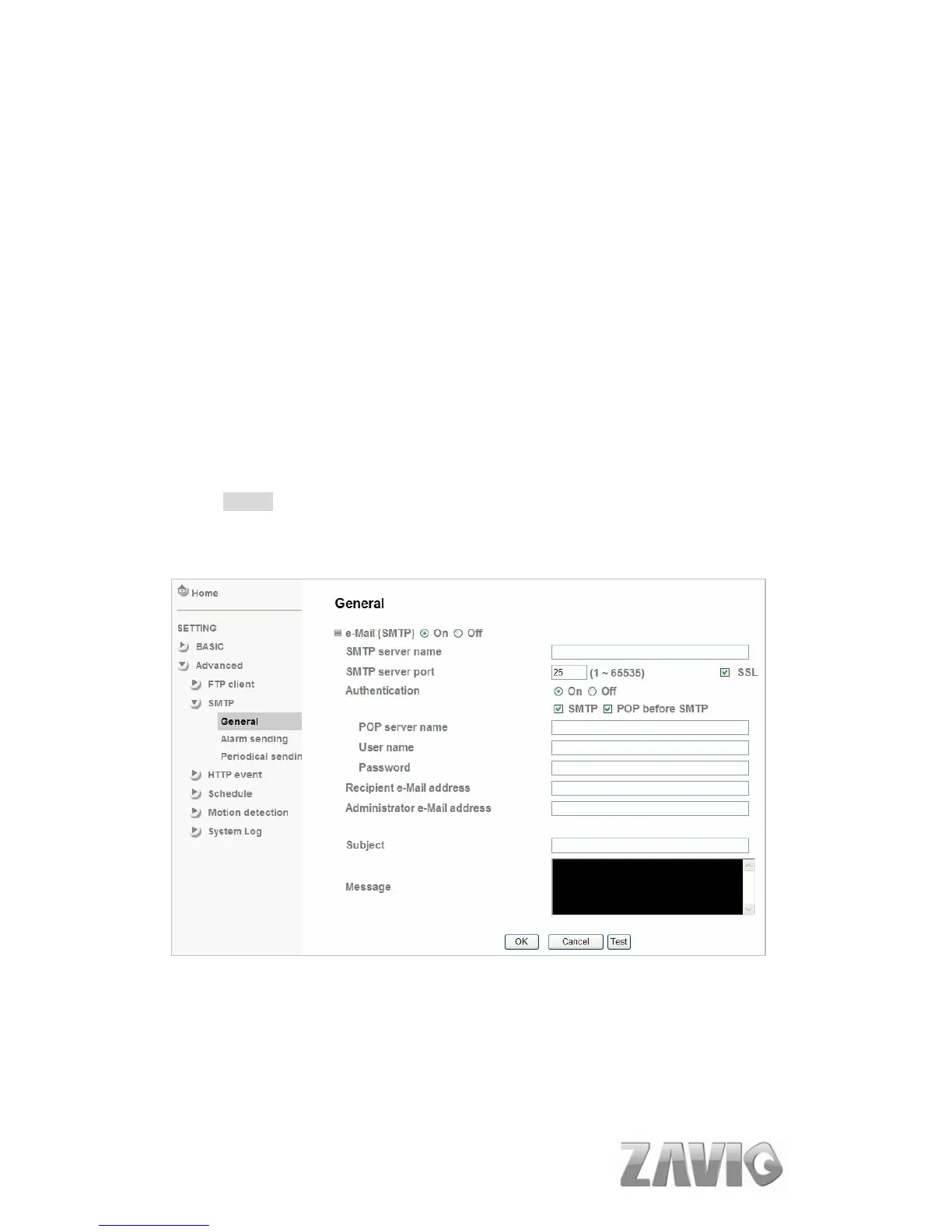
8.2.1. General
Select On when you use the SMTP function. The common setting options are
displayed below. Select Off, if you do not wish to use the e-Mail (SMTP) function.
Note :
The Setting of general part will be the same as the setting of IP Notification
(Please check “Setting → Basic → Network → IP Notification”)
SMTP server name: Type the SMTP server name up to 64 characters, or
the IP address of the SMTP server.
SMTP Server Port: You can set port number from 1~65535 according to
your mail server. The default value is 25.
48



 To Next Page