F210A &F312A User Manual
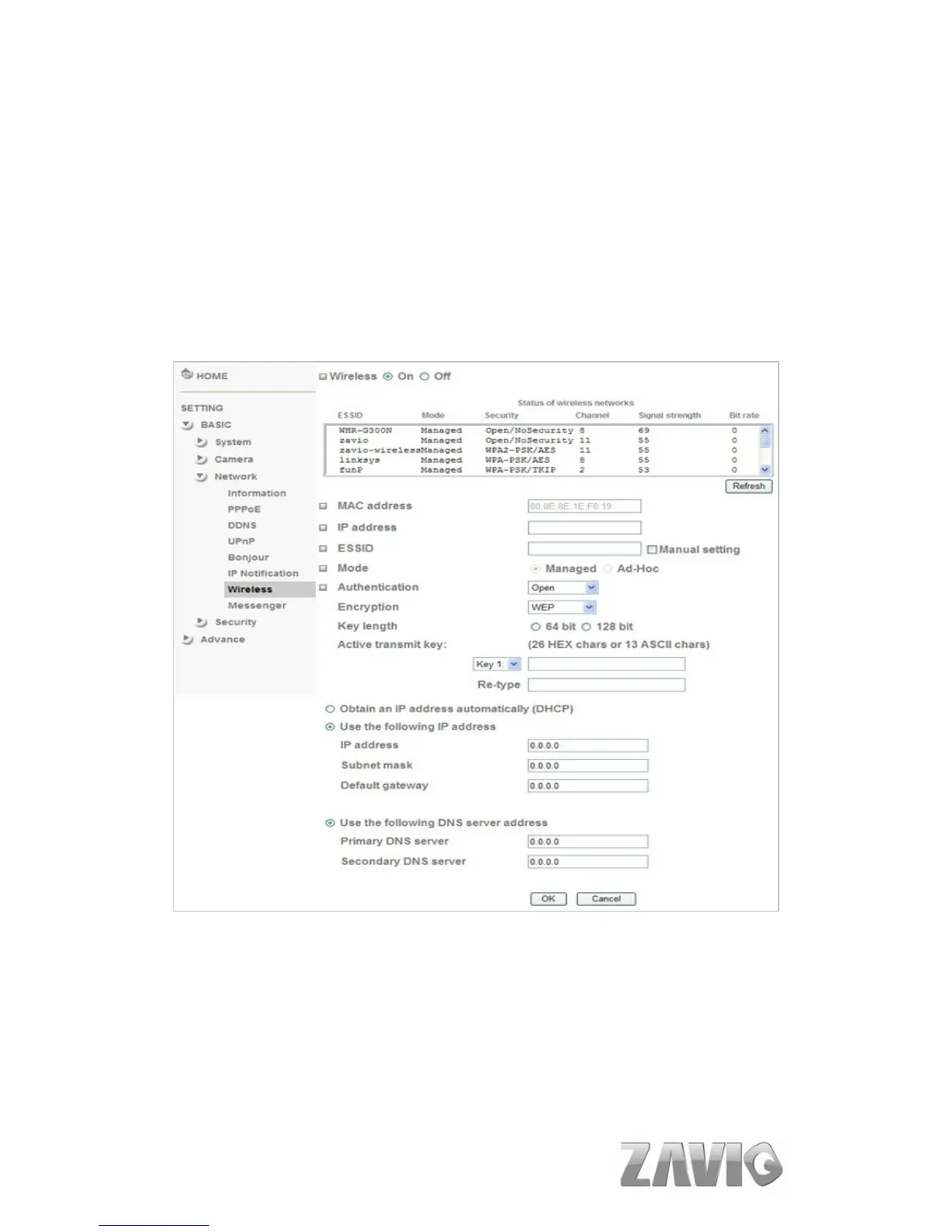
7.3.7. Wireless (only for F312A)
The wireless network has to be set up by using cable network connection. After
setting the camera correctly, the wireless function can work with cable network
connection. Wireless settings must be the same as the access point or ad-hoc device.
When changing the settings they should always be made first in the camera and
then in the wireless access point. This ensures that the camera is always accessible
when making changes.
Status of Wireless Network
This list is the result of network scan. The network is currently linked to will
be shown in blue. The following information is provided.
ESSID - The name of a wireless network (or ad-hoc device). If the same
name occurs several times this means that several access points for that
network were found. The camera cannot be configured to only associate
with one particular access point.
Mode - Shows if the network type is Master (access point or router) or
38



 To Next Page