F210A &F312A User Manual
7.4. SECURITY
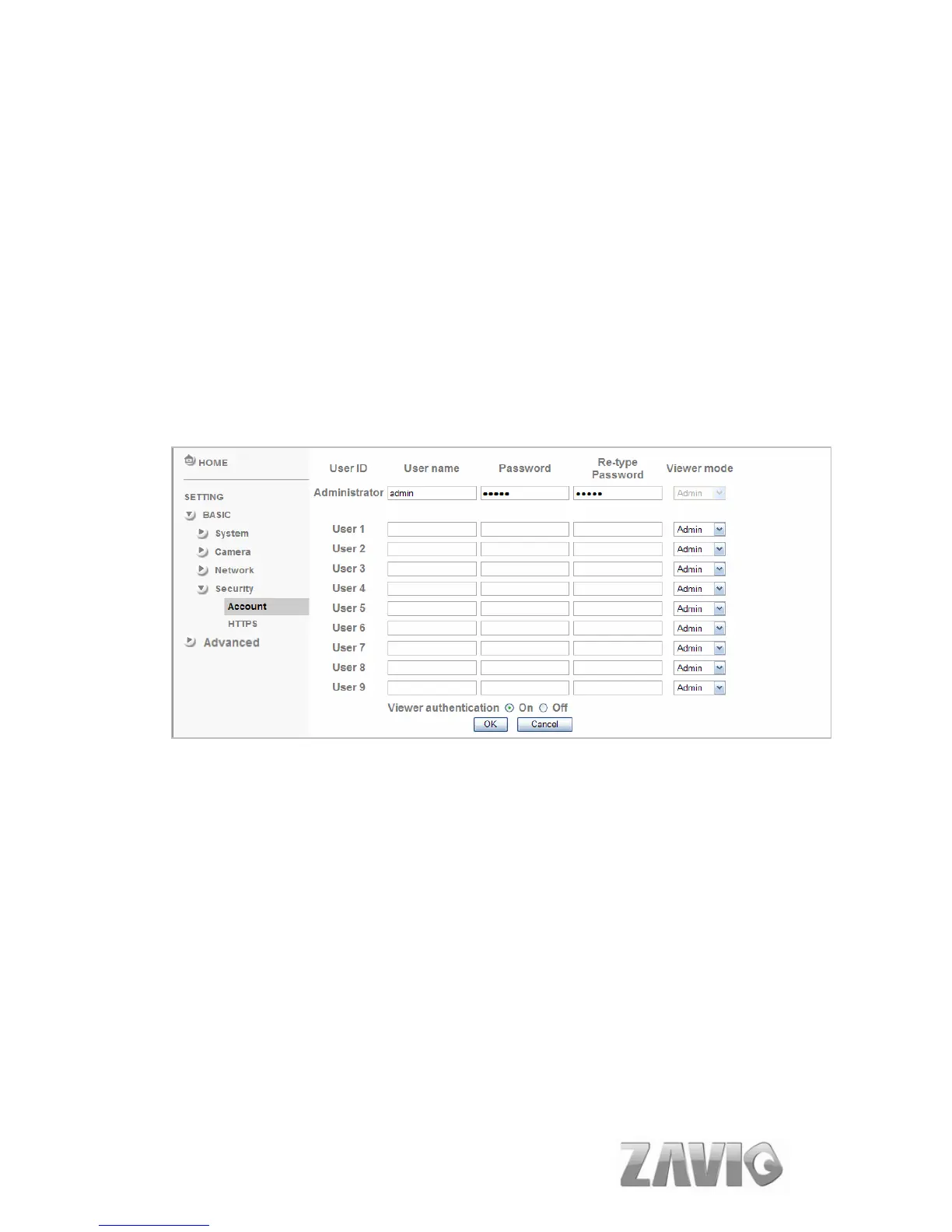
Click the folder of Security to display the sub folders including Account and
HTTPS.
7.4.1. Account
The device fault account and password setting is “admin / admin”. That means
everyone who knows IP address can access the device including all configuration. It is
necessary to assign a password if the device is intended to be accessed by others.
User name: Set a user name between 4-16 characters.
Password: Set a password between 4-16 characters.
Re-type Password: Re-type the password to confirm.
Viewer Mode: Set the user mode among Admin, Operator, and Viewer.
Different viewer mode has different limits of authority.
The Admin mode has all authority of configuration.
The Operator mode can not only view the Live View but also control the
PTZ (apply in speed dome).
The Viewer mode only can view the Live View.
Viewer Authentication: Allows any viewer direct access to Live View.
42



 To Next Page