F210A &F312A User Manual
3.2. MAC WEB BROWSER
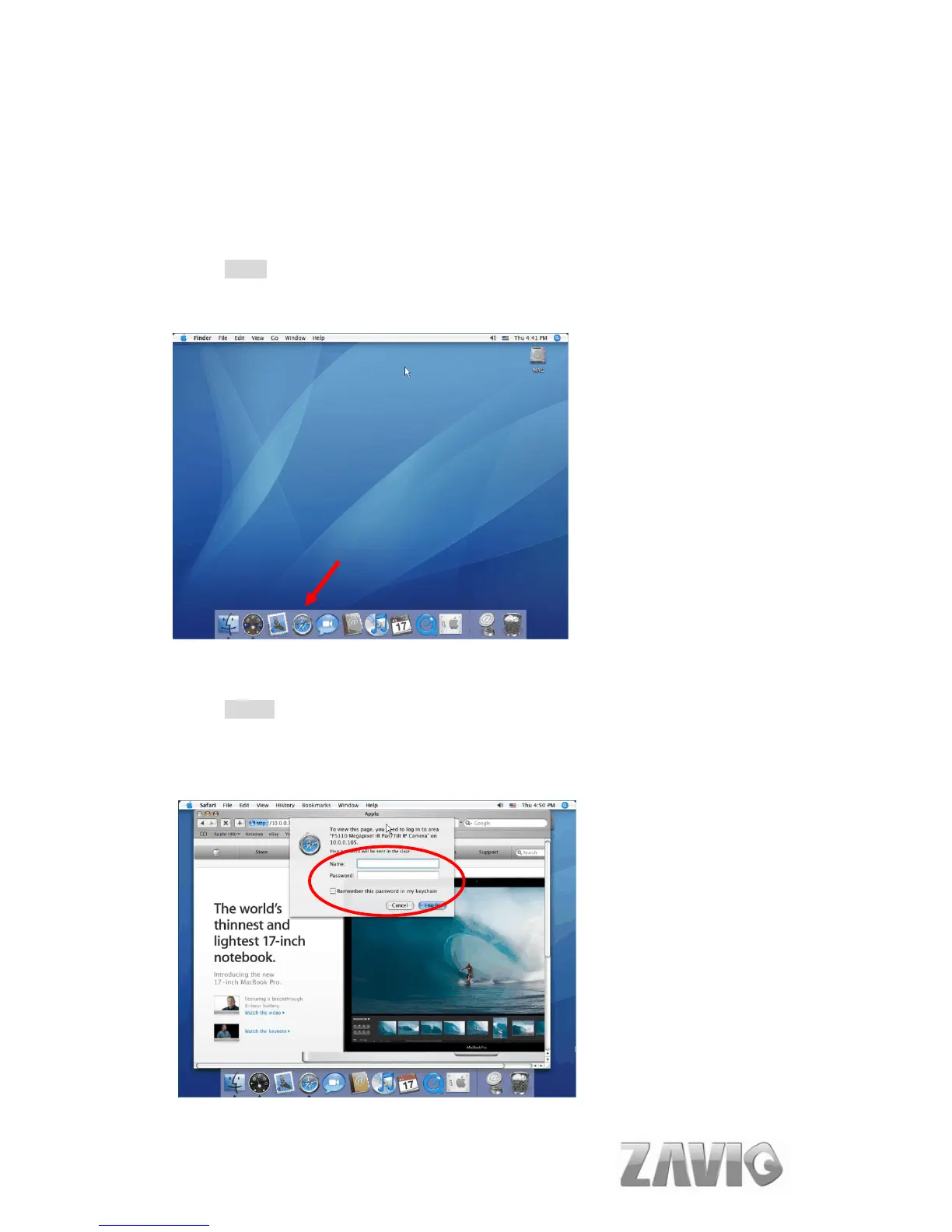
1. Click the Safari icon, and enter the IP address of the IP camera in the
Location / Address field of your browser.
Note :
If you only want to view the video without setting page, enter
“http://<IP>/index2.htm” as your web URL.
2. Use the default account “admin” and default password “admin”.
Note :
The default user name “admin” and the password are set at the factory
for the administrator. You can change them in the Account Menu (Please
check “Setting → Basic → Security → Account”)
6



 To Next Page