F210A &F312A User Manual
select Auto mode, you can adjust threshold for LED Auto-On and Auto-Off
respectively. In the right hand side of threshold, if the tool bar is closer to the
right, the LED will auto-on easily in the dark environment. Conversely, in the
left hand side of threshold, if the tool bar is more approach to the left, the
LEDs will auto-off easily in the bright environment.
Note:
LED will light up after 10 seconds in dark environment.
Overlay:
Text Overlay: You can see some information on the display screen
which includes Date / Time and user-defined text. Also, you can change
the background color.
Privacy Mask: You can cover a specific area of the video image.
7.2.2. MPEG-4
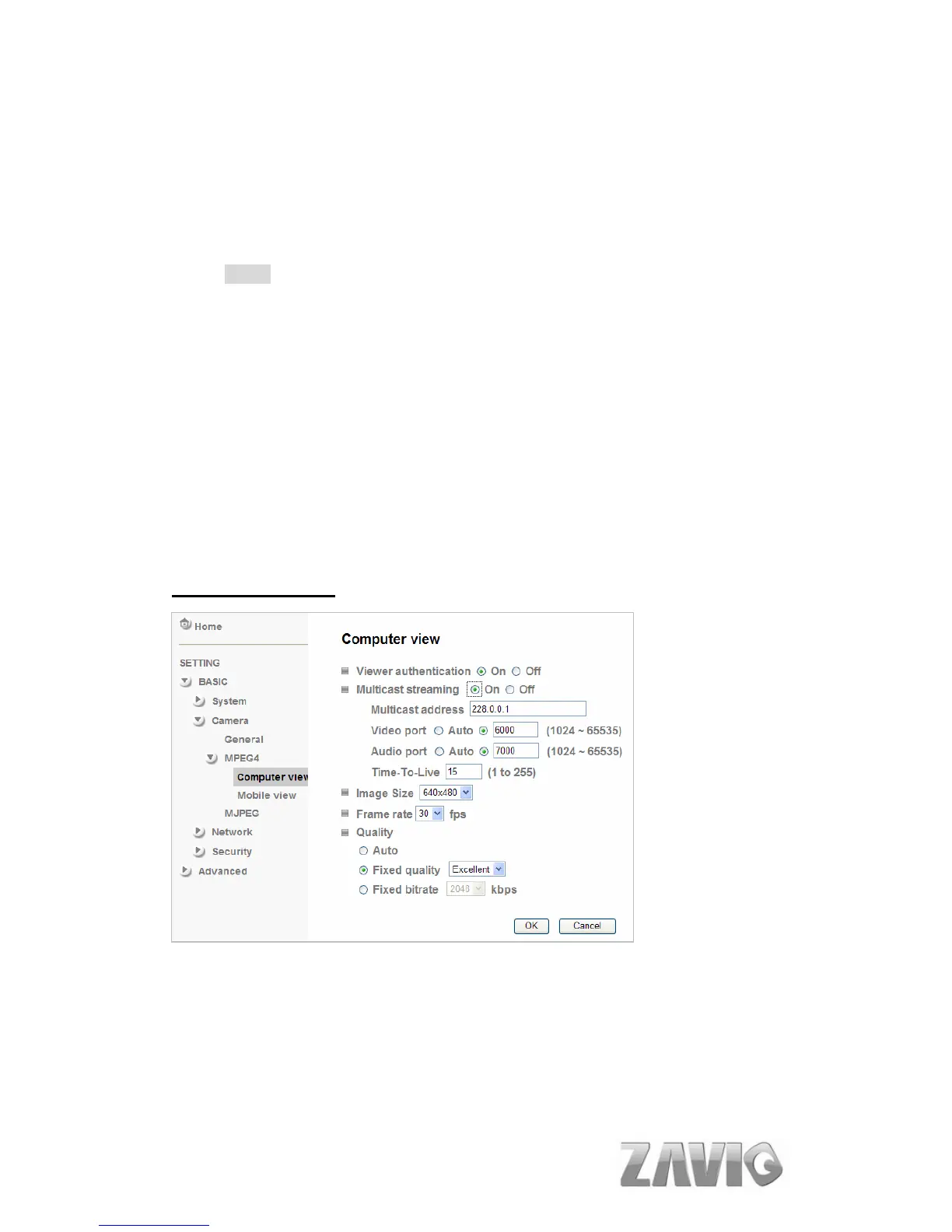
A. Computer View
If RTSP is ON, the option of Viewer Authentication & Multicast Streaming will
appear. (Please check “Setting → Basic → Camera → General ”)
Viewer Authentication: If the viewer authentication is On, the users will be
requested to
key-in username and password when viewing through RTSP.
Multicast Streaming (If it’s on):
24



 To Next Page