F210A &F312A User Manual
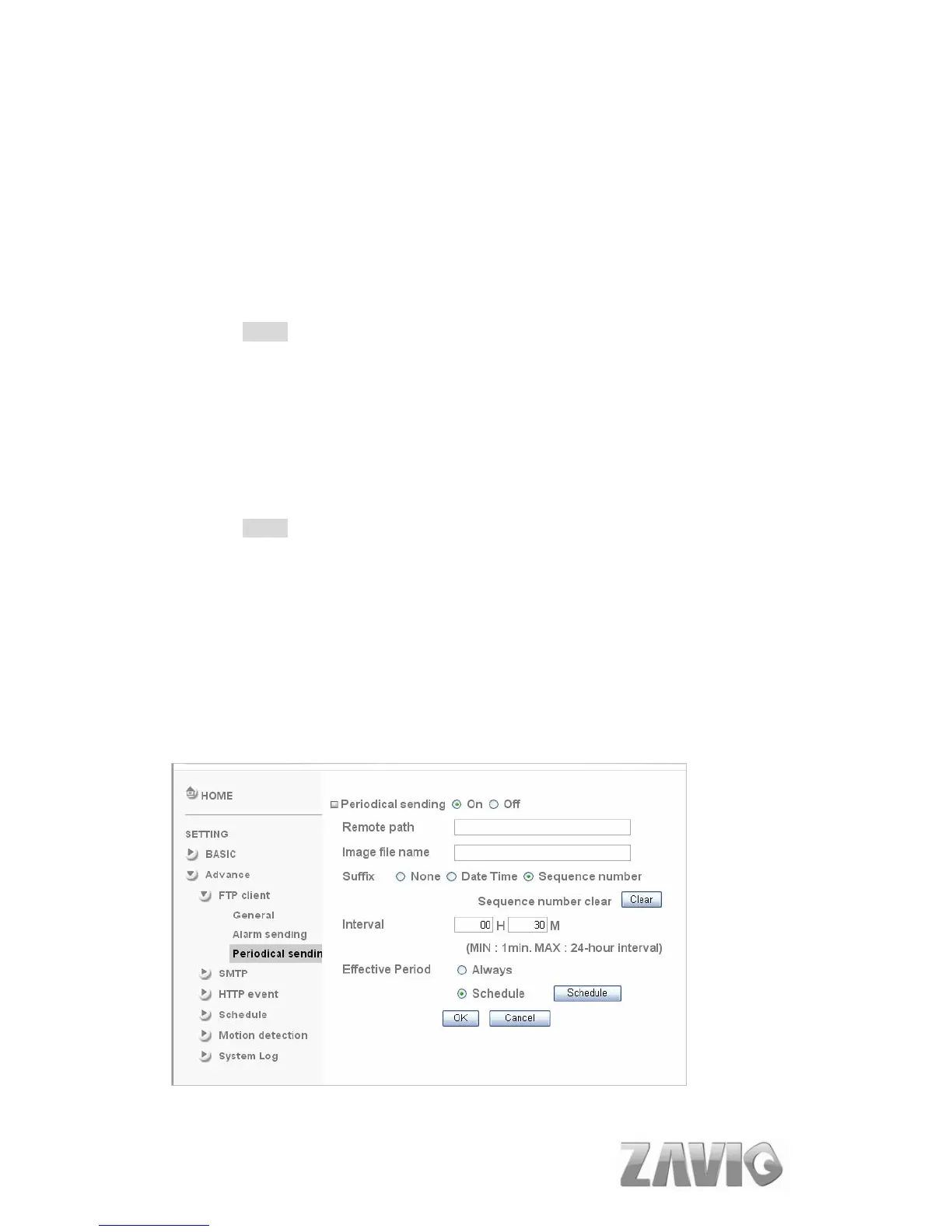
Sequence number clear: Click Clear and the suffix of the sequence
number returns
to 1.
Alarm
Motion Detection: Click it on for using Motion Detection function as a
sensor. You can set motion detection function at the motion detection
function page.
Note:
You can set motion detection at motion detection page. (Please go “Setting
→ Advance →Motion Detection → Setting”)
Effective period: Set the period when the periodical sending is effective.
Always: The periodical sending is always effective.
Schedule: You can specify the period when the periodical sending is
effective in the Schedule setting in the other section.
Note:
You can set schedule function at schedule page. (Please go “Setting →
Advance → Schedule → Setting”)
8.1.3. Periodical Sending
You can set to send an image file to FTP server periodically by selecting On to
send the image file to FTP server linked with setting period.
46



 To Next Page