F210A &F312A User Manual
7.3. NETWORK
Click the folder of Network to display the sub folders including Information,
PPPoE, DDNS, UPnP, Bonjour, IP Notification, Wireless(for wireless models)
and Messenger.
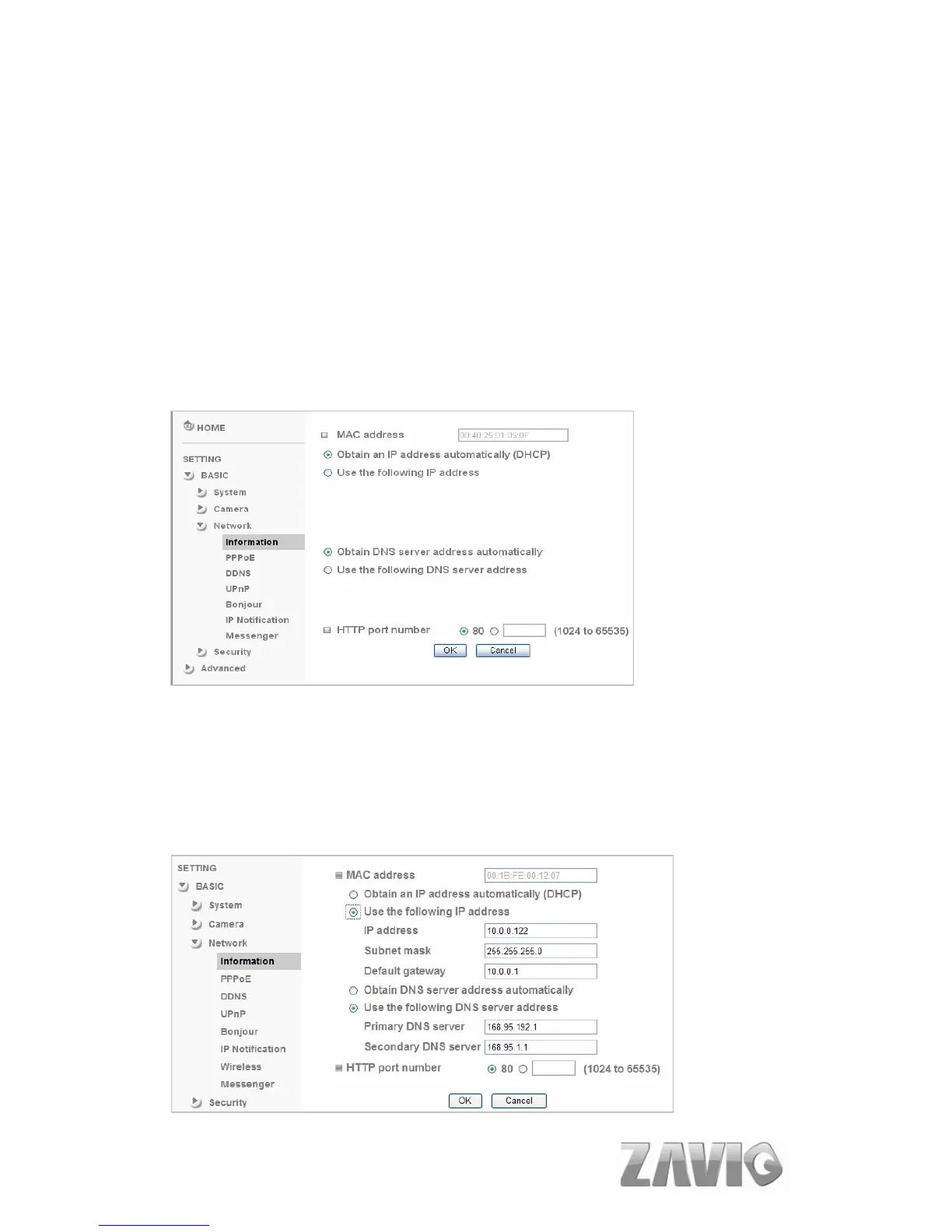
7.3.1. INFORMATION
Display the MAC address of the device.
Obtain an IP address automatically (DHCP): If a DHCP server is
installed on the network, to select this while the IP address is assigned by the
DHCP server.
Obtain DNS server address automatically: Select this to obtain the
address of DNS server automatically.
28



 To Next Page