F210A &F312A User Manual
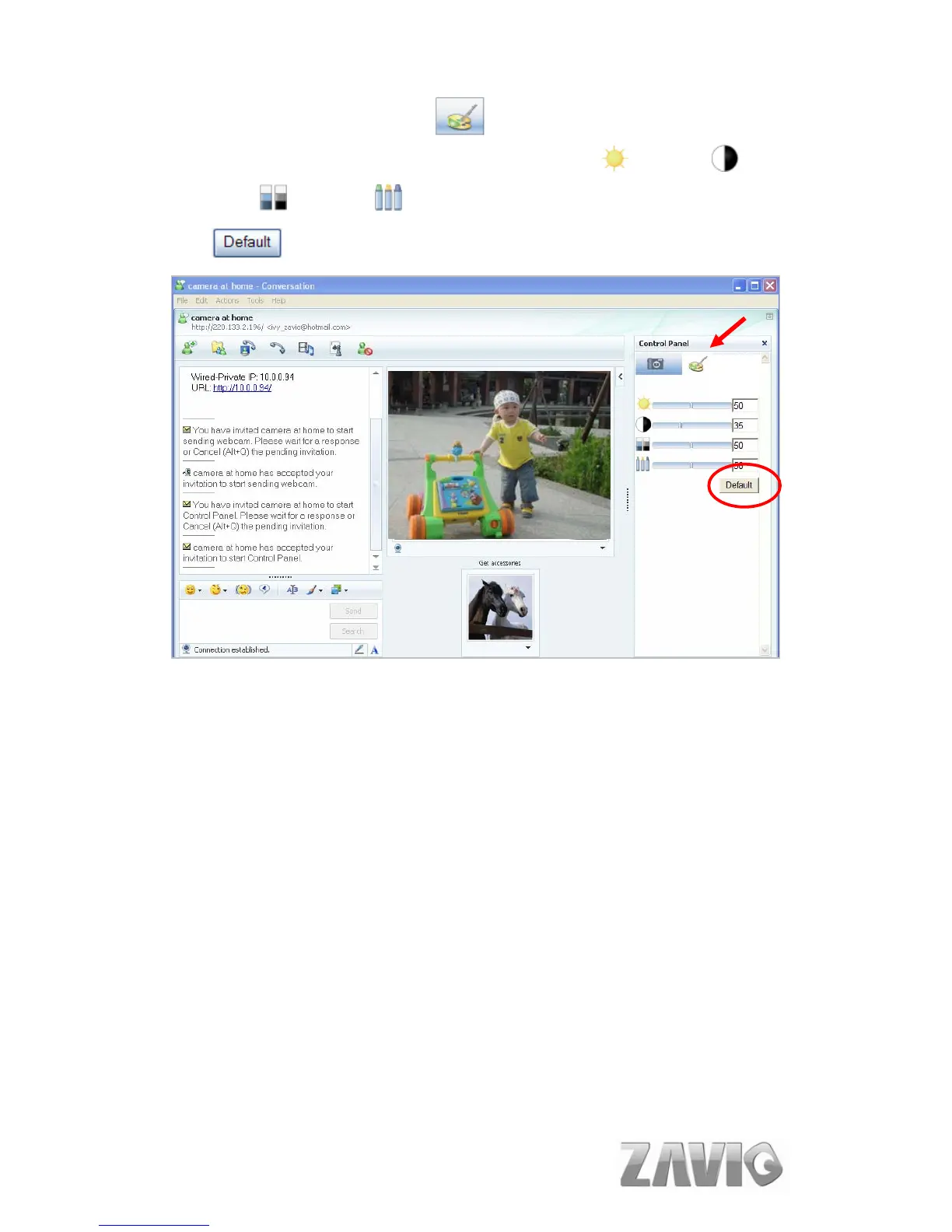
13. You can click paint palette icon showing up with tool bar to set up image.
Then, you can use the tool bar to optimize video Brightness , Contrast ,
Saturation and Hue . After the adjustment of all setting, you can still
click to make the setting back to the original setting.
Image Setup
14



 To Next Page