F210A &F312A User Manual
7.2. CAMERA
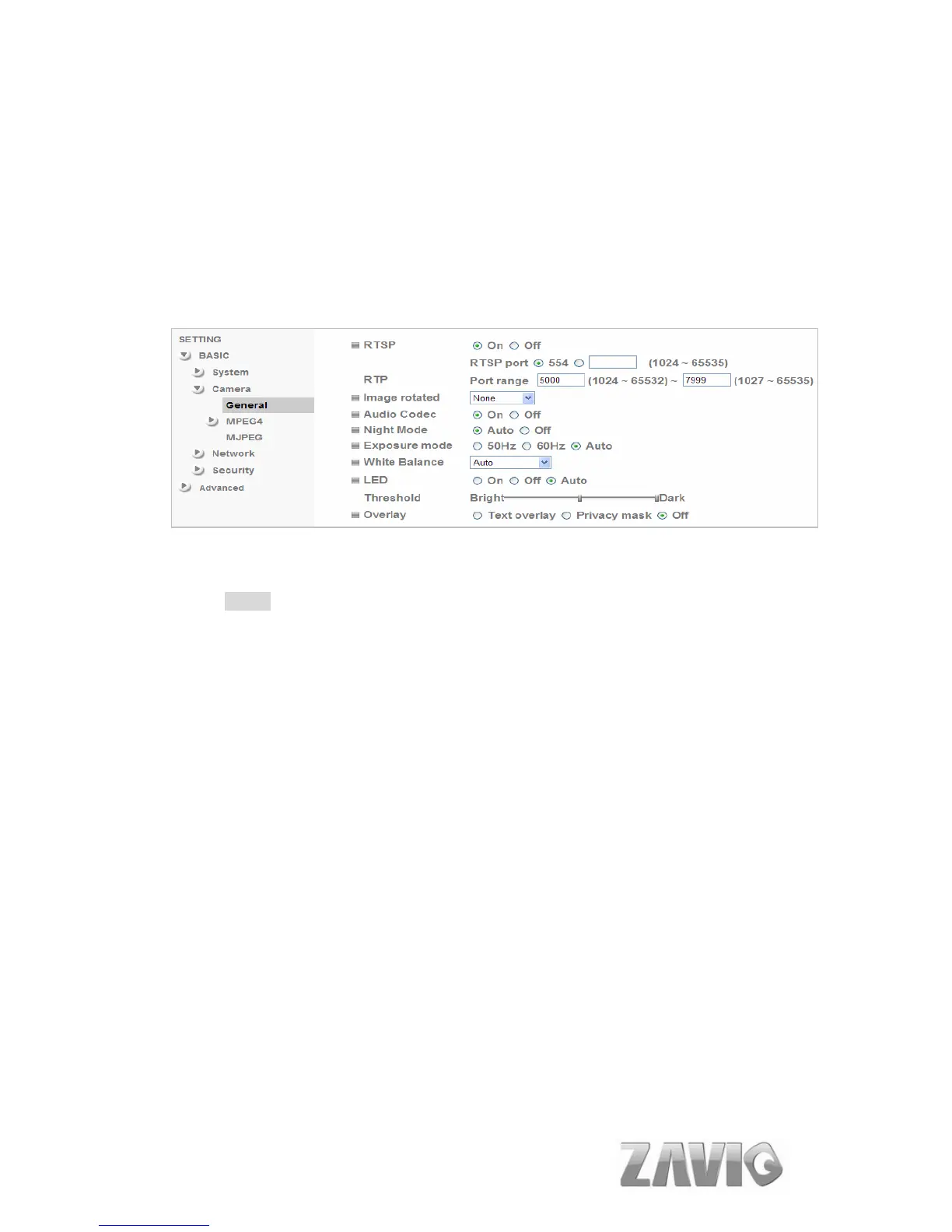
Click the folder of Camera to display the sub folders including General, MPEG4
and MJPEG.
7.2.1. General
RTSP : Switch RTSP “On” or “Off.” The default value is 554.
Note:
RTSP (Real Time Streaming Protocol) is a protocol for use in streaming
media system which allows clients to remotely control a streaming video
server. RTSP is supports by most of the media clients such as Real Player,
QuickTime and VLC...etc.
Image Rotate: You can mirror or flip the display screen.
Audio Codec: If this option is selected On, the microphone will start sound
reception.
Night Mode: You can choose Auto / Off. If you choose Auto option, the
camera will adjust automatically to perform well when the environment is
dark.
Lighting: You can choose the environment among 50 Hz, 60 Hz , and Auto.
White Balance: You can choose the white balance to Auto, Florescent,
Incandescent and Black & White.
LED(only for F312A): You can turn LED light On / Off and Auto. If you
23



 To Next Page