F210A &F312A User Manual
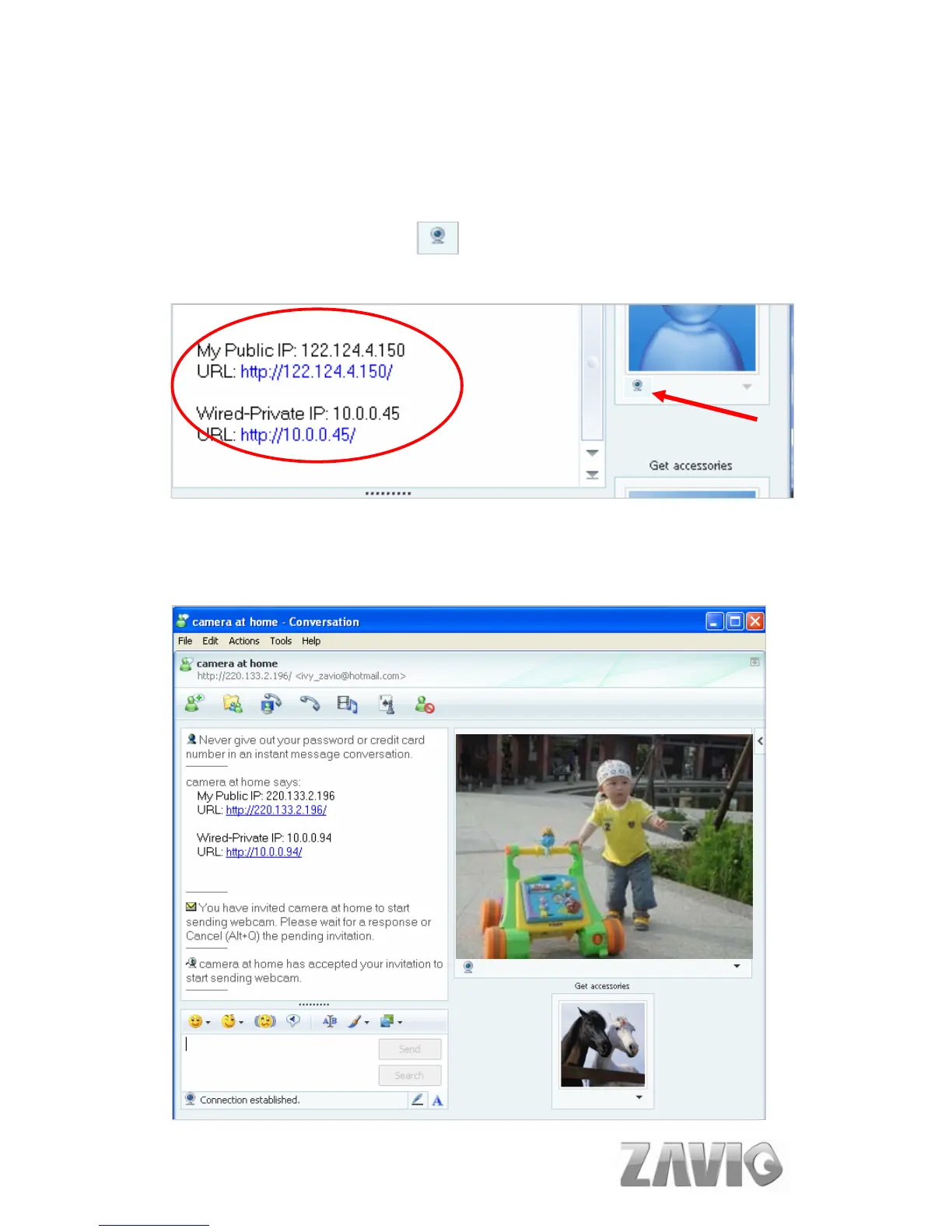
6. The Camera at home will show up with its Public IP and Private IP after enter
“Ping” in the lower key-in column to show up with Public IP and Private IP. (If the
option of IP Notification is “On.”)
7. Click on the small camera icon . Then, choose “View a new contact's
webcam”.
Camera at home says:
8. The IP Camera will accept your invitation; the live video will show up in the right
screen after few seconds.
11



 To Next Page