F210A &F312A User Manual
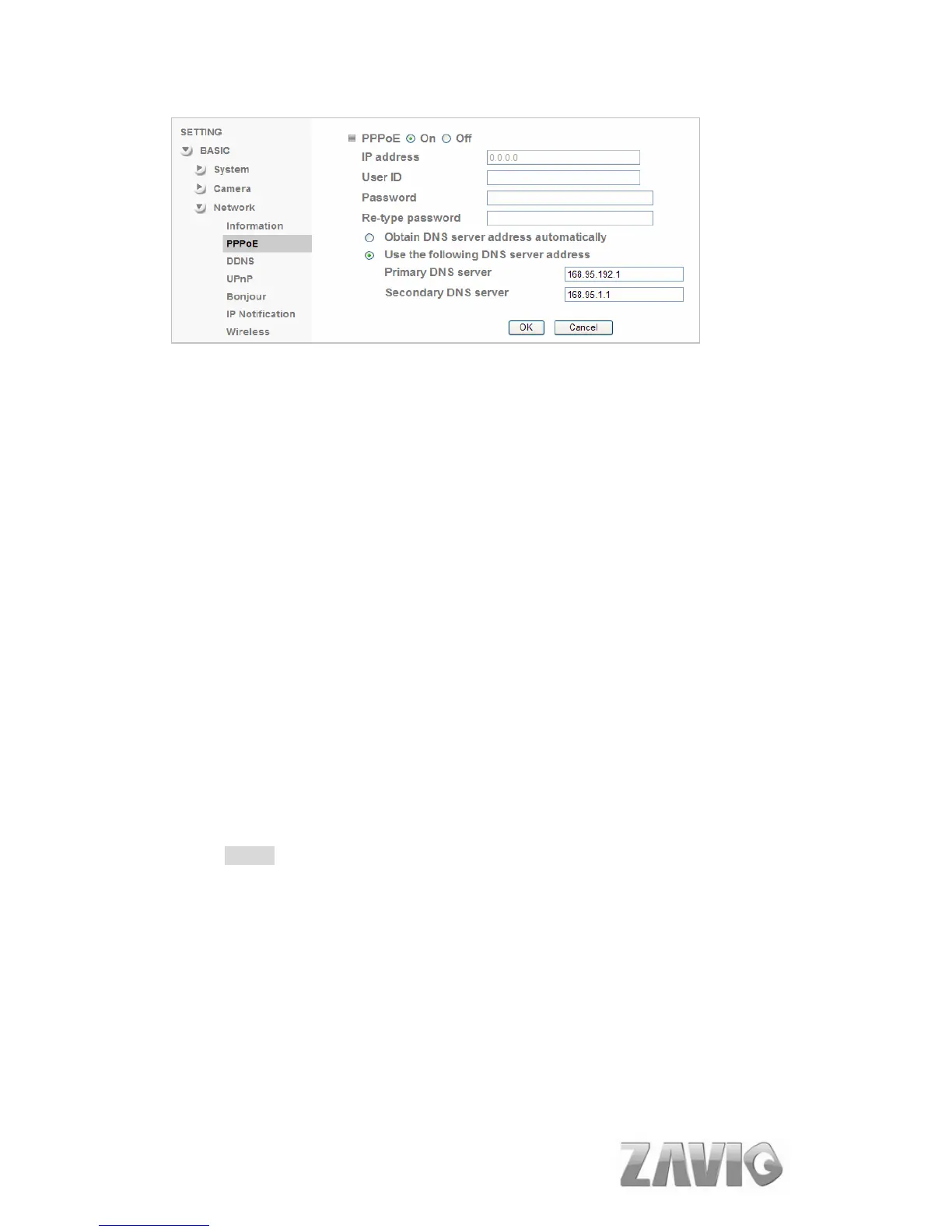
IP Address: The IP address obtained at the PPPoE connecting with
network.
User ID: Enter the user ID for authentication necessary for PPPoE
connections. Type it up to 64 characters.
Password: Enter the password for authentication necessary for PPPoE
connections. Type it up to 32 characters.
Re-type Password: Re-type the password to confirm.
Obtain DNS server address automatically: Select this to obtain the
address of DNS server automatically.
Use the following DNS server address: Select this when you set the fixed
address as the IP address of DNS server.
Primary DNS server: Enter the IP address of the primary DNS server.
Secondary DNS server: Enter the IP address of the secondary DNS
server.
Note :
1. PPPoE (Point-to-Point Protocol over Ethernet): PPPoE is a network
protocol for encapsulating Point-to-Point Protocol frames insider
Ethernet frames. PPPoE connection is used mainly with ADSL service
where individual users connect to the ADSL transceiver (modem) over
Ethernet work. It also widely used in XDSL. (digital affiliate line such as
ADSL, VDSL or SDSL)
2. The IP Camera needs to be rebooted after it finishes changing the
network completely.
3. The IP Camera with Intelligent IP Installer can’t be founded after
turning on the PPPoE and reboot.
30



 To Next Page