Deva 5.8 and Deva 16 Owner’s Manual
Chapter 3
37
The preset name and User Preset number also appears on the home screen in the headphone monitoring
area.
Changing Preset; Get User Presets
The Get User Presets allows you to recall any of the presets you previously stored.
To change to a different preset, perform the following:
1. Press the Get User Preset button on the Headphone Mix menu.
2. Press the button with the preset you want to use.
3. Press the Menu button to return to the Headphone Mix menu.
Time Code
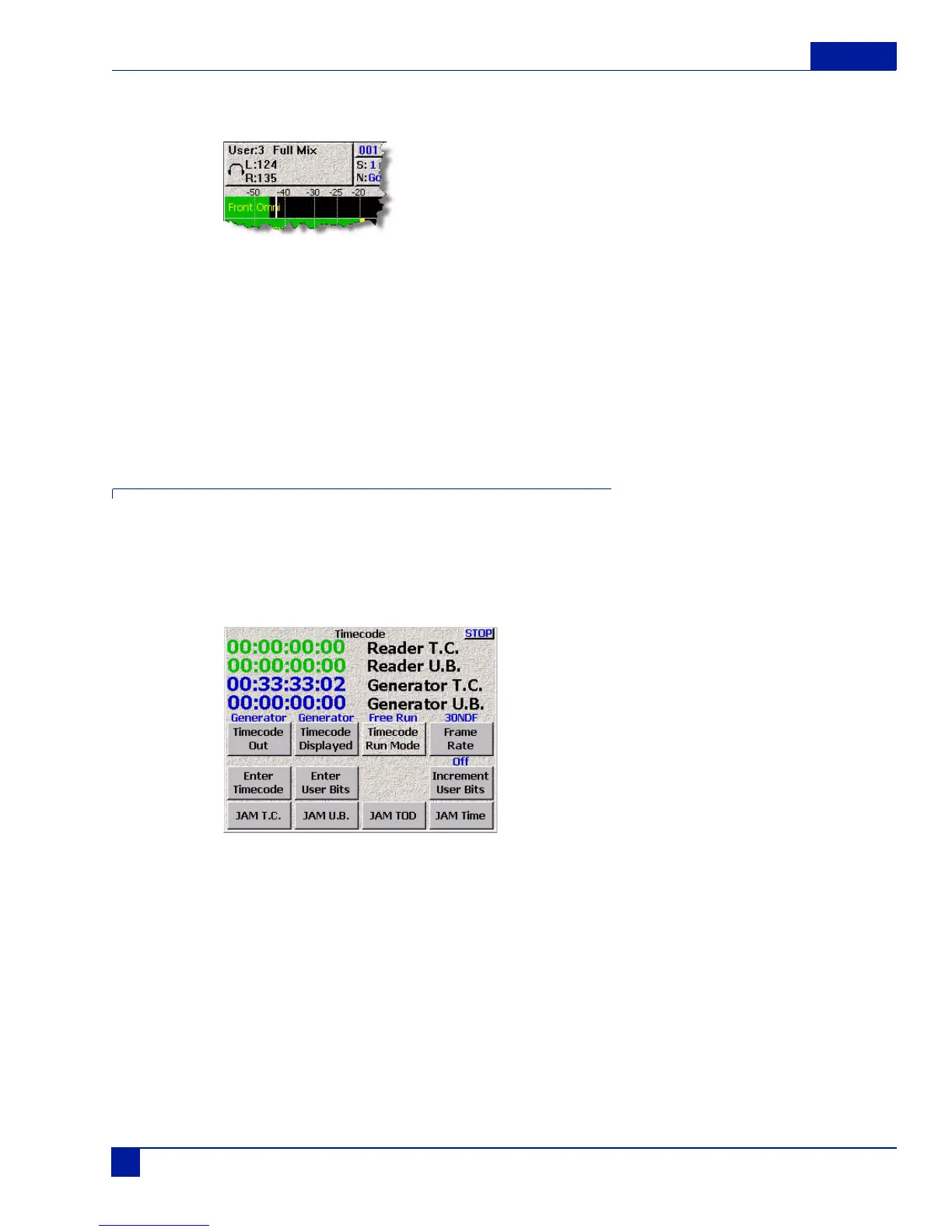
The Deva provides several time code options, which are all available from the Time Code menu.
To get to the Time Code screen, either press the Time Code button (F4), or press the time code in the
home screen.
Main Menu > Time Code
Figure 37 Time Code Menu
Static Time Code Settings
Reader T.C.
The Reader T.C. displays Time code from any External source coming into the Deva. If no external source
is present, you may temporarily see three question marks (???). These indicate that no external time code
source is being sensed by the Deva. When a source is connected, the Reader T.C. also displays the
estimated frame rate.



 To Next Page