52
Deva 5.8 and Deva 16 Owner’s Manual
Chapter 5
Phase Invert
PHASE INVERT reverses phase of the selected input. A reversed phase input appears with a bar over the
letter A or D.
Clear All
CLEAR ALL removes all selections and empties the screen.
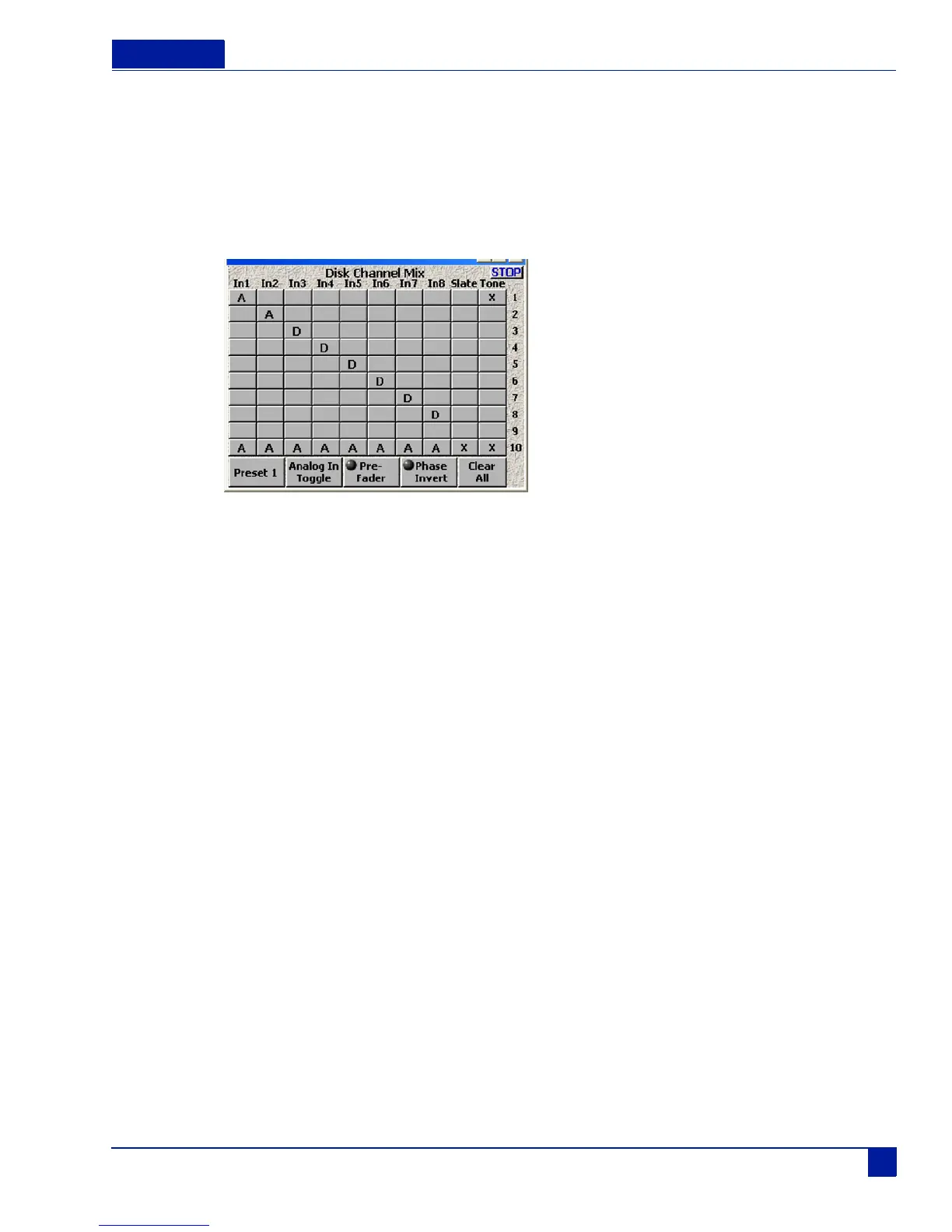
Figure 8 Disk Channel Mix Screen Example
Figure 8 above shows the Deva set up to record 2 Analog inputs on Tracks 1 and 2, and 6 Digital inputs on
tracks 3-8. The reference tone goes to tracks 1 and 10, the Slate mic goes to track 10. A mix of 8 analog
inputs also goes to Track 10.



 To Next Page