Deva 5.8 and Deva 16 Owner’s Manual
Chapter 5
49
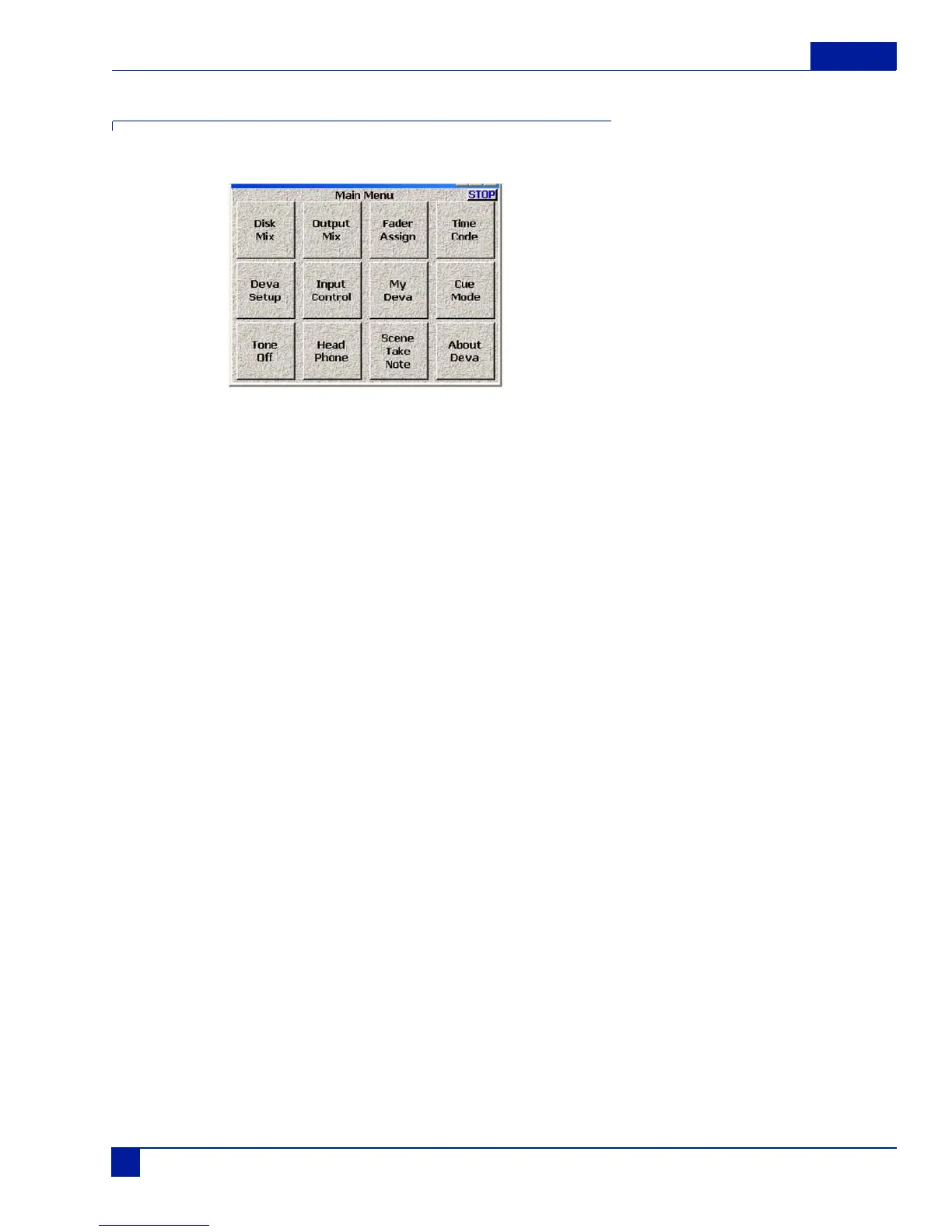
Main Menu
The MAIN MENU provides access to all the Deva operating functions.
Figure 6 Deva Main Menu
Disk Mix
DISK MIX selects the main routing menu. This Menu includes the MATRIX that routes the 8 Analog and 8
Digital Inputs, plus the Slate Mic and Tone Generator to the 10 Recording Tracks.
Output Mix
OUTPUT MIX selects the output routing menu. This Matrix routes the 8 Analog and 8 Digital Inputs to the
8 Main Outputs.
Faders
Displays the four touch faders and allows you to assign and lock the inputs to the faders. The touch faders
operate the same way the hardware faders do. You can either use your finger or PDA stylus to move the
faders on the screen.
Time Code
TIME CODE selects the Time Code feature window. This sets all time code and user bit settings.
Deva Setup
Deva SETUP sets the main operating parameters such as Sample Rate, number of channels, sync reference,
etc.
Input Control
INPUT CONTROL sets the parameters of the Analog inputs. This includes Mic/Line level, High Pass Filter-
ing, Mic Powering, Gain Trim and Digital Delay.



 To Next Page