24
Zaxis Inc. LLC
801.264.1000
2442 South 2570 West
West Valley City, UT 84119
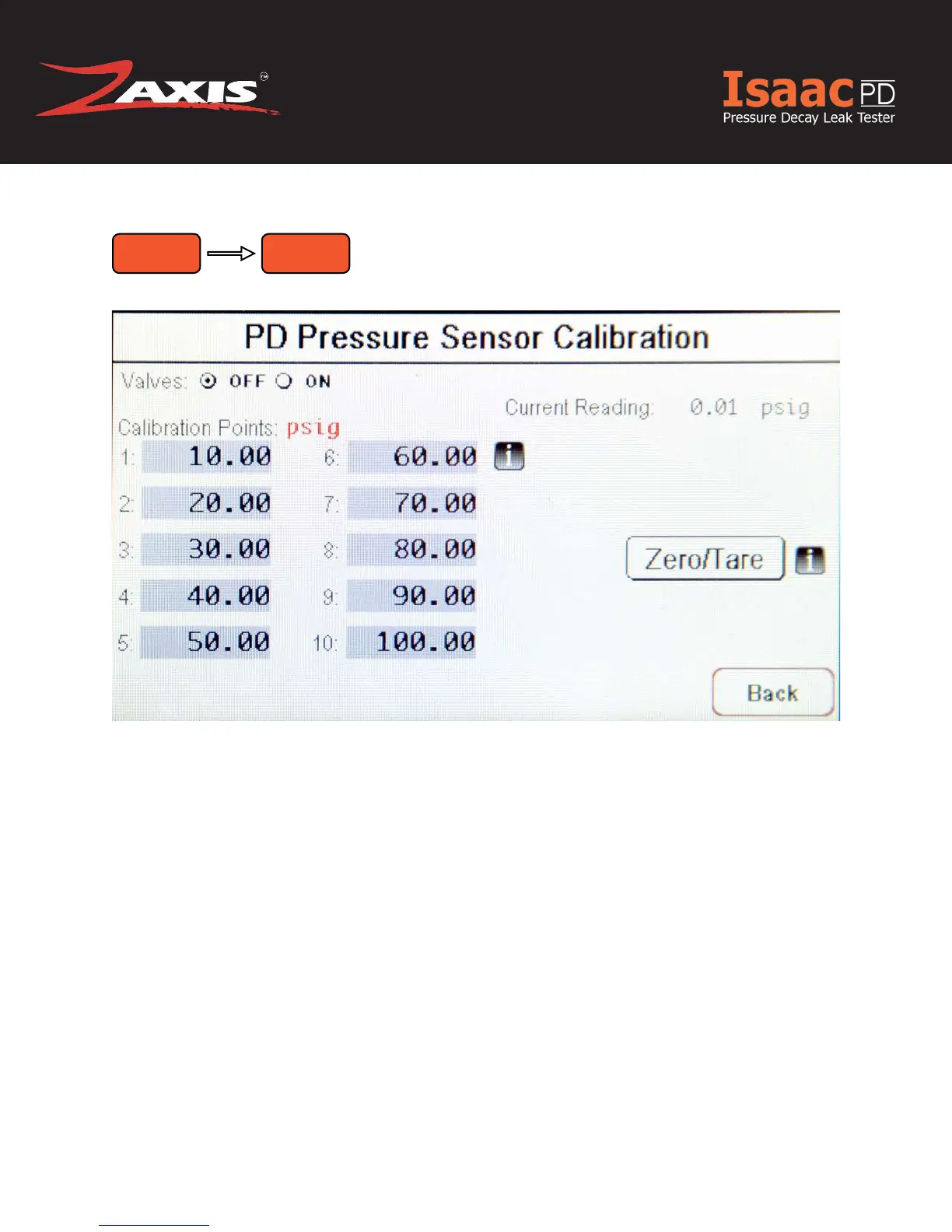
Enter the calibration screen and connect the test port to a pressure standard.
Valves
» Press the Valves “ON” radio button to apply regulated air.
Calibration Points
» Set to units of psig.
» Adjust the regulator to the desired pressure reading on the pressure standard
and compare the reading of the sensor (upper right corner).
» Repeat for all required calibration points.
Zero/Tare
» To set zero, uncap port, disconnect air, open valve, and touch the Zero/Tare but-
ton.
Fig. 11. PD Pressure Sensor Calibration Screen.
Calibrate Pressure



 To Next Page