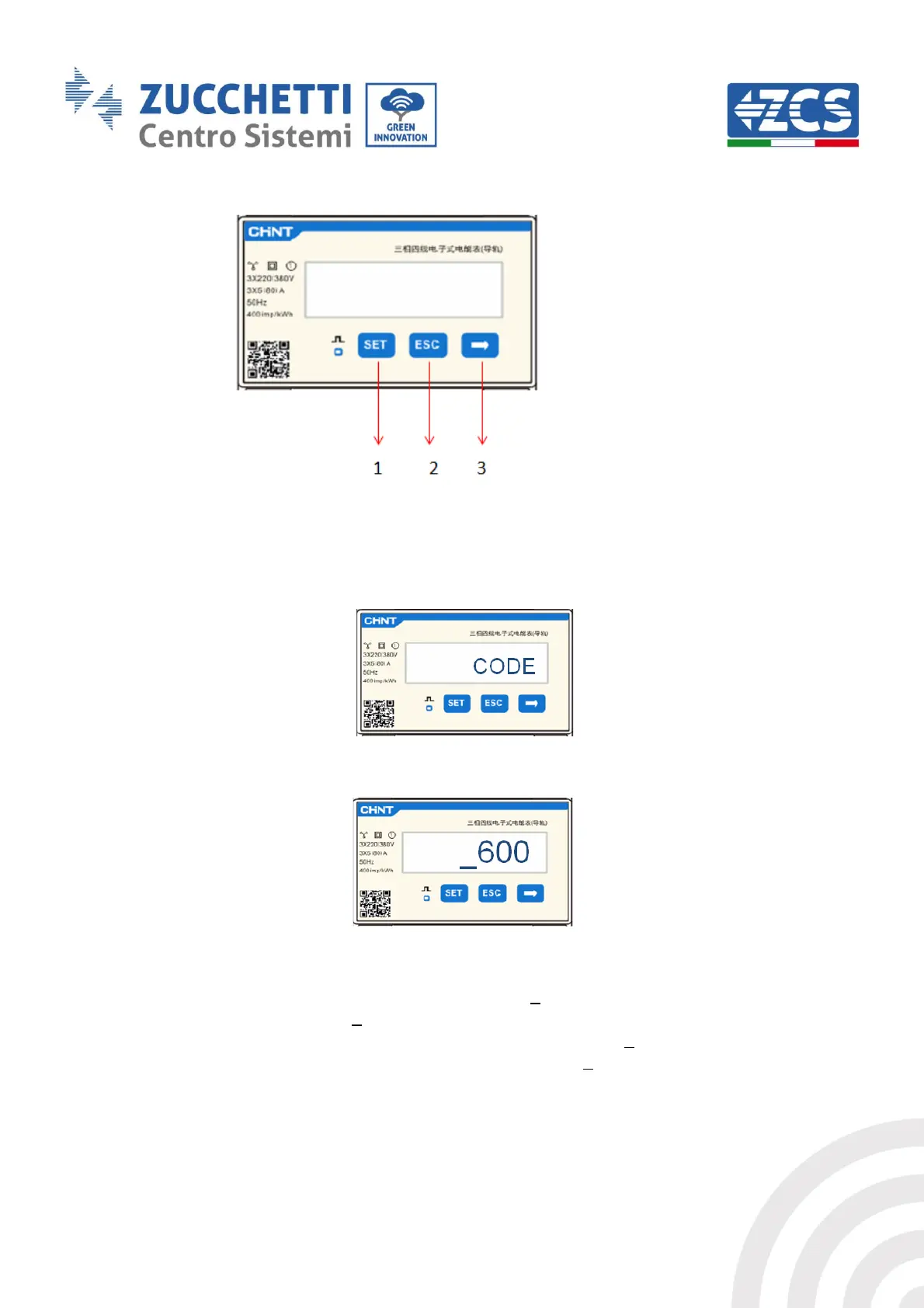
Figure 89 - Meter Legend
Meter configuration
To configure the device in read mode, enter the settings menu as shown below:
1. Press SET and the word CODE will appear
2. Press SET again and “600” will appear:
3. Enter the number “701”:
a. From the first screen where the number “600” appears, press the “→” key once to
write the number “601”.
b. Press “SET” twice to move the cursor left, highlighting “601”;
c. Press the “→” key once more to write the number “701”



 To Next Page