NS=çÑ=QQ fåëíêìÅíáçå=j~åì~ä=_paQ=ÇÉíÉÅíçê=ÉåMN
PK=aÉëÅêáéíáçå
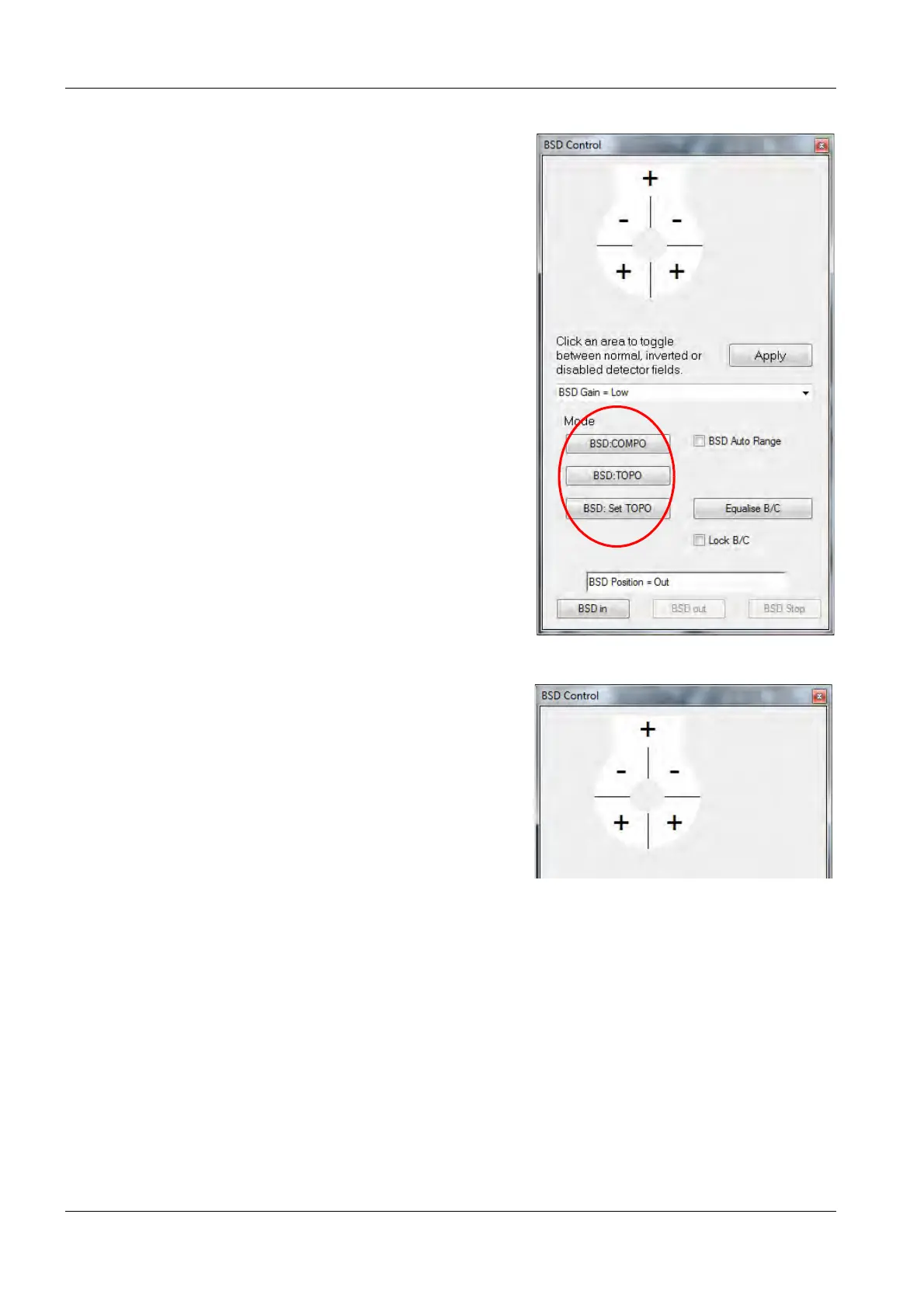
BSD modes The BSD modes can be selected in the Smart-
SEM
®
user interface.
The BSD Control panel summarises the
functions:
• BSD: COMPO
selects composition imaging (the four seg-
ments arranged in a circle are used in normal
mode).
• BSD:TOPO
selects surface topography (the four segments
arranged in a circle are used, two in normal
mode and two in inverted mode)
• BSD:Set TOPO
saves the current segment configuration as a
new TOPO mode
At the top, the diode polarity is displayed.
The diodes can have the following status:
• Normal (+): The signal is added to the
total signal.
• Inverted (-): The signal is inverted before
being added to the total signal.
• Off ( ): No signal is being added to the
total signal.



 To Next Page