fåëíêìÅíáçå=j~åì~ä=_paQ=ÇÉíÉÅíçê=ÉåMN =OR=çÑ=QQ
RK=léÉê~íáçå
The stage lowers to leave enough free space for
the BSD4 detector. The BSD4 detector moves in.
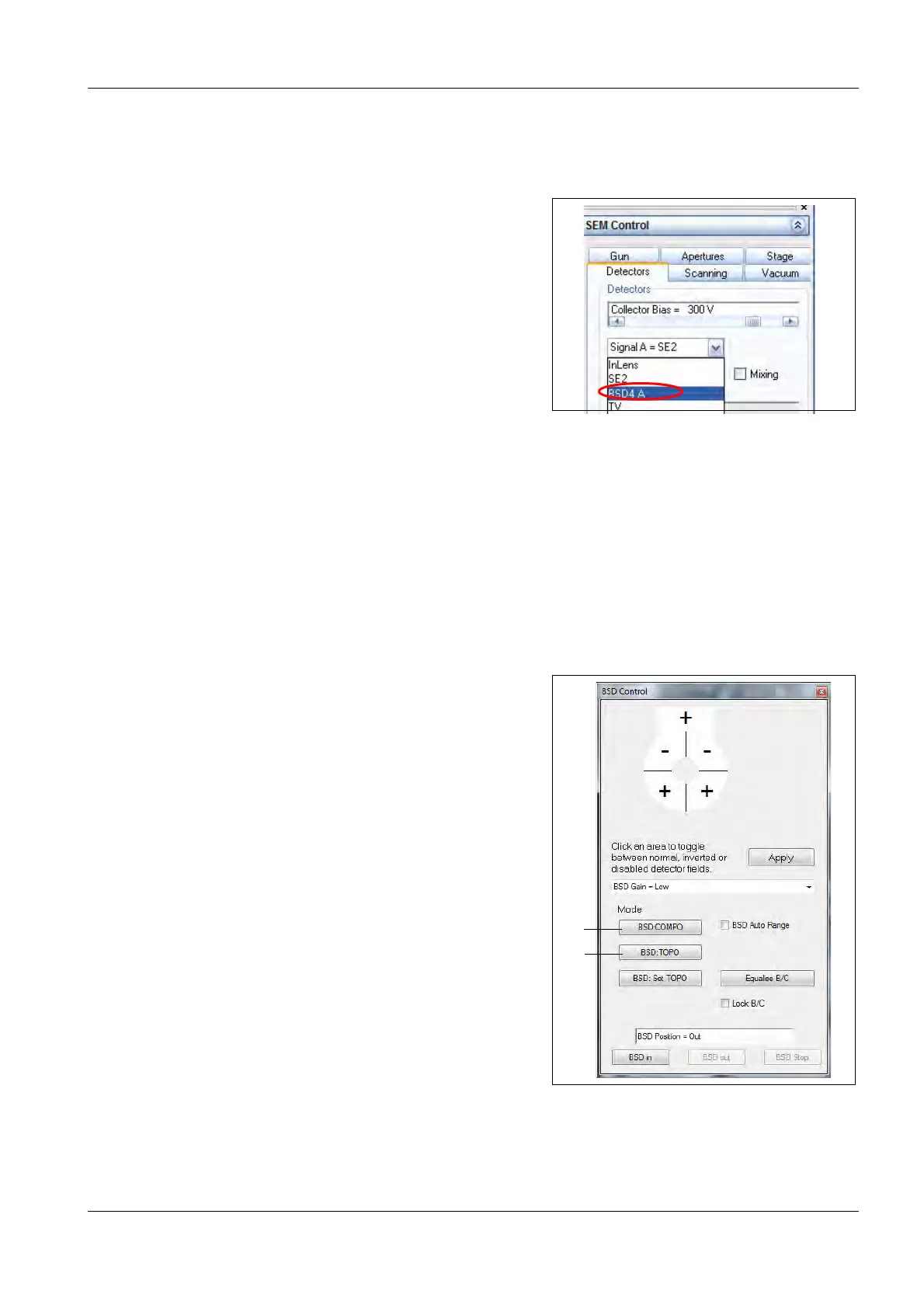
4 Go to the Detectors tab in the
SEM Control panel.
5 Select BSD4 A from the drop-down menu.
6 The software switches to the BSD4 detector
image.
5.2.2. Selecting a BSD mode
Preconditions:
• The BSD4 detector is inserted
Procedure:
1 Select an operation mode with the buttons.
a BSD: COMPO (1)
selects composition imaging.
b BSD:TOPO (2)
selects surface topography



 To Next Page