PO=çÑ=QQ fåëíêìÅíáçå=j~åì~ä=_paQ=ÇÉíÉÅíçê=ÉåMN
RK=léÉê~íáçå
5.4. Saving and recalling stage coordinates (licence: STAGECO)
During installation, at least one stage position has been stored by the ZEISS representative. How-
ever, it is possible to store a list of customised stage positions together with magnification and
working distance. Thus, you can recall these positions easily.
Requires the licence STAGECO.
5.4.1. Saving and editing stage coordinates
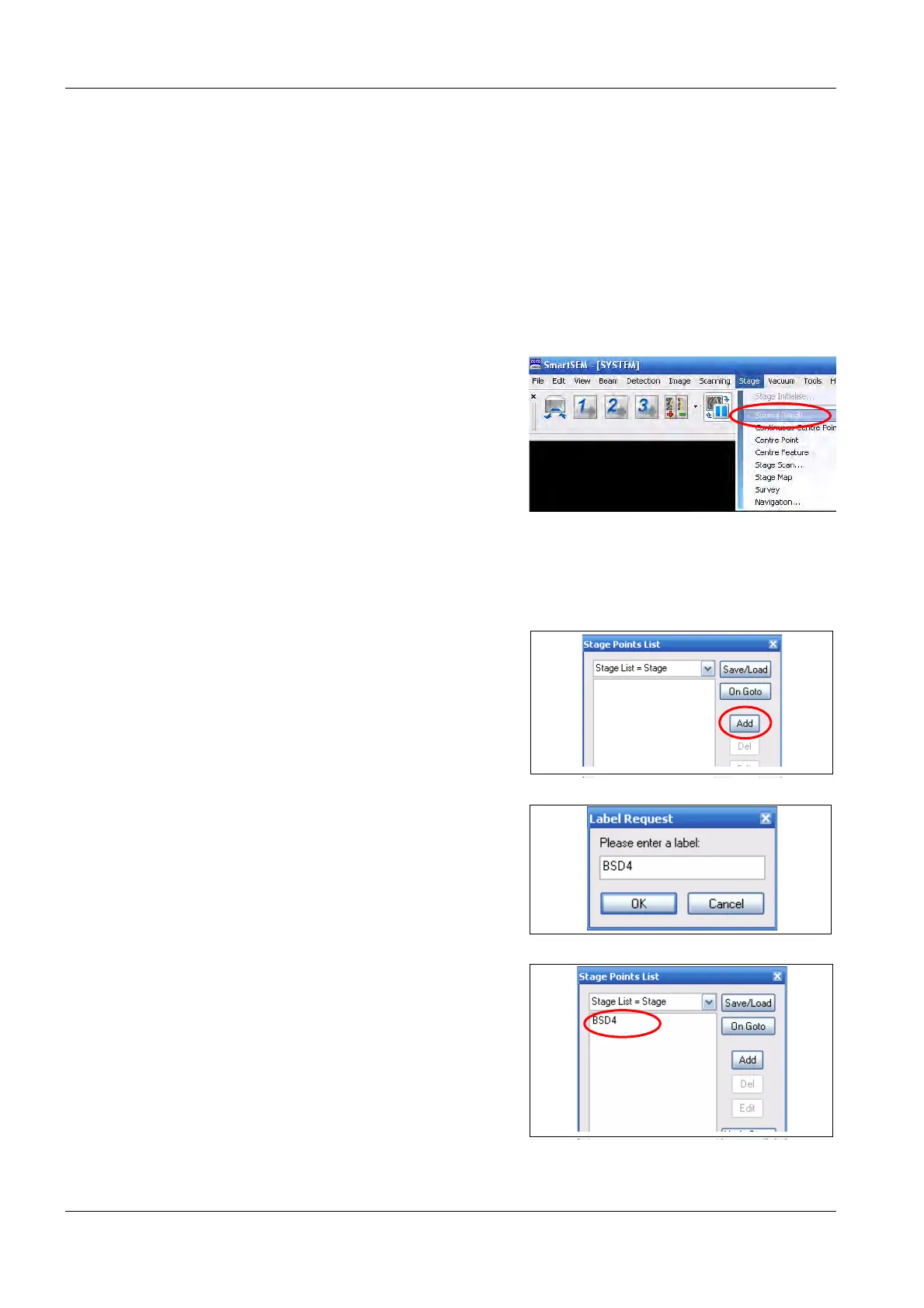
1Select Stage/Store/Recall from the menu.
2 To enter the current stage position, click on
Add.
3 Enter a name and confirm with OK.
The stage position is displayed on the
Stage Points List.



 To Next Page