fåëíêìÅíáçå=j~åì~ä=_paQ=ÇÉíÉÅíçê=ÉåMN =NV=çÑ=QQ
RK=léÉê~íáçå
5. Operation
CAUTION
Risk of damaging the BSD4 detector when moving the stage.
Macros may influence the movement of the stage.
Do not start user-defined macros which impede the safe stage movement.
5.1. Preparing the work with the BSD4 detector
Before working with the BSD4 detector, the detector has to be adjusted.
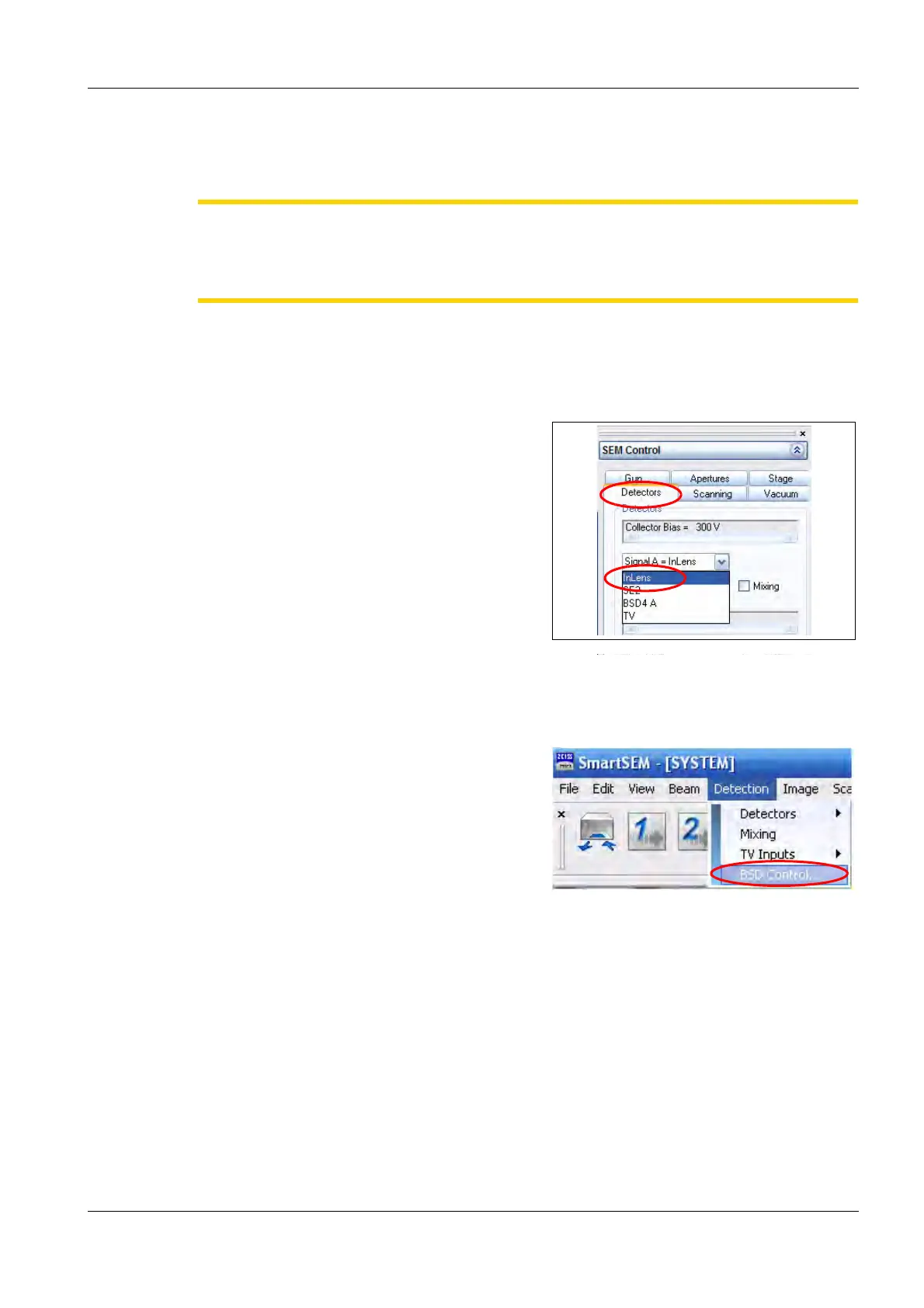
1 Go to the Detectors tab in the SEM Control
panel.
2 Select InLens or SE2 from the drop-down
menu.
SmartSEM
®
switches to the selected detector.
3 Select the lowest magnification.
4 Select Detection/BSD Control....



 To Next Page