PQ=çÑ=QQ fåëíêìÅíáçå=j~åì~ä=_paQ=ÇÉíÉÅíçê=ÉåMN
RK=léÉê~íáçå
5.5. Using the Quad mode
Procedure
1
Select Quad from the Scanning menu.
Note
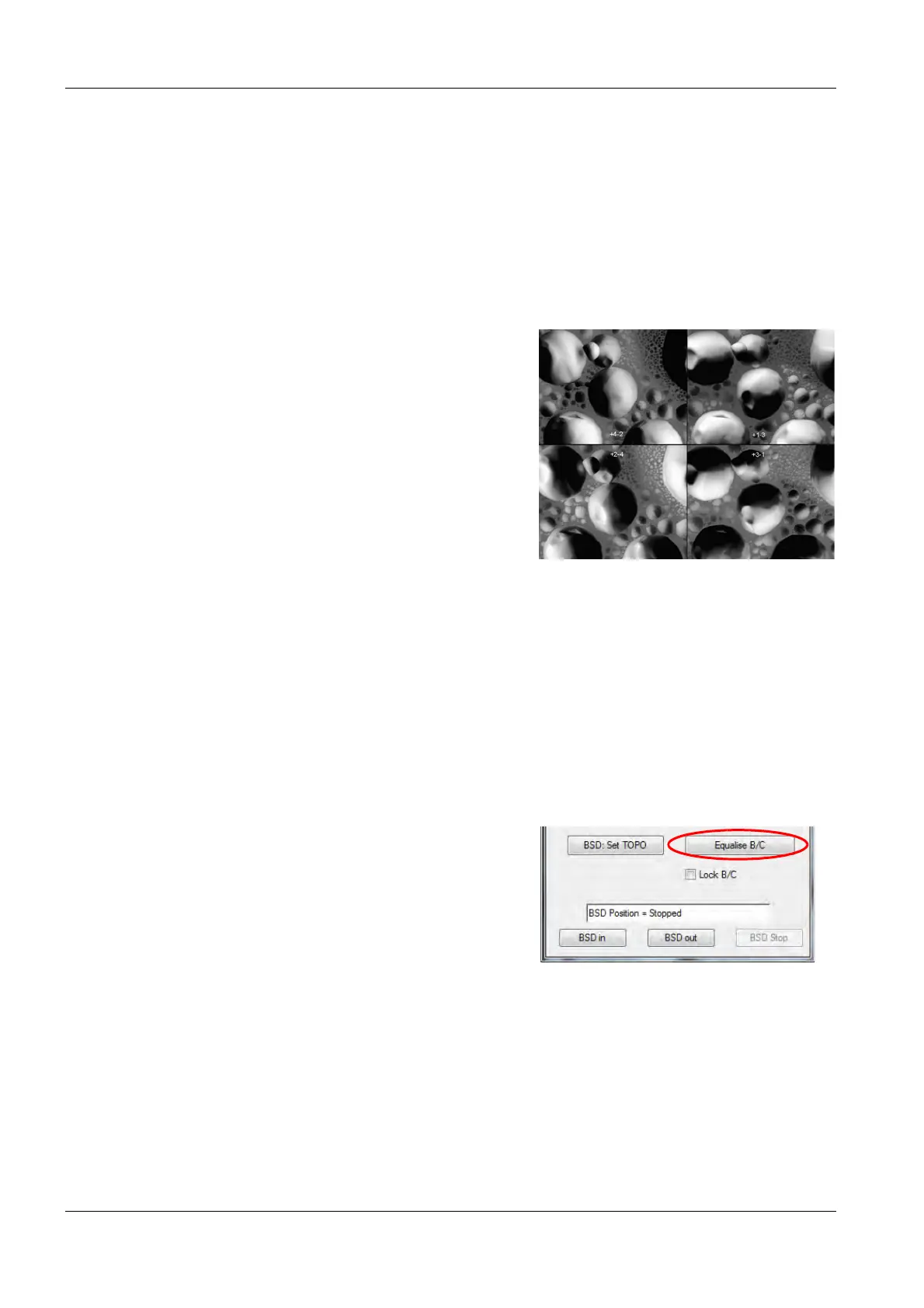
The image screen is devided into 4 quad-
rants and an anchor is indicating the
selected quadrant.
2
Assign a BSD detector type to each quad-
rant.
• Drag the anchor to the first quadrant,
select BSD4 A in SEM Control panel/
Detectors tab and select segments for
BSD A (for example +S4 / -S2) in the
BSD Control panel.
• Drag the anchor to the second quad-
rant, select BSD4 B and select BSD
mode (for example +S1 / -S3) for
BSD4 B.
• Drag the anchor to the third quadrant,
select BSD4 C and select BSD mode
(for example +S2 / -S4) for BSD4 C.
• Drag the anchor to the fourth quadrant,
select BSD4 D and select BSD mode
(for example +S3 / -S1) for BSD4 D.
Note
The four BSD detector images are shown
on the screen and can be recorded simul-
taneously with one scan.
3 Adjust brightness and contrast for the quad-
rant 1.
4 In the BSD Control panel, click Equalise B/C.
Note
The brightness and contrast values of the
actual quadrants is set to three ofter quadrants.



 To Next Page