fåëíêìÅíáçå=j~åì~ä=_paQ=ÇÉíÉÅíçê=ÉåMN =PP=çÑ=QQ
RK=léÉê~íáçå
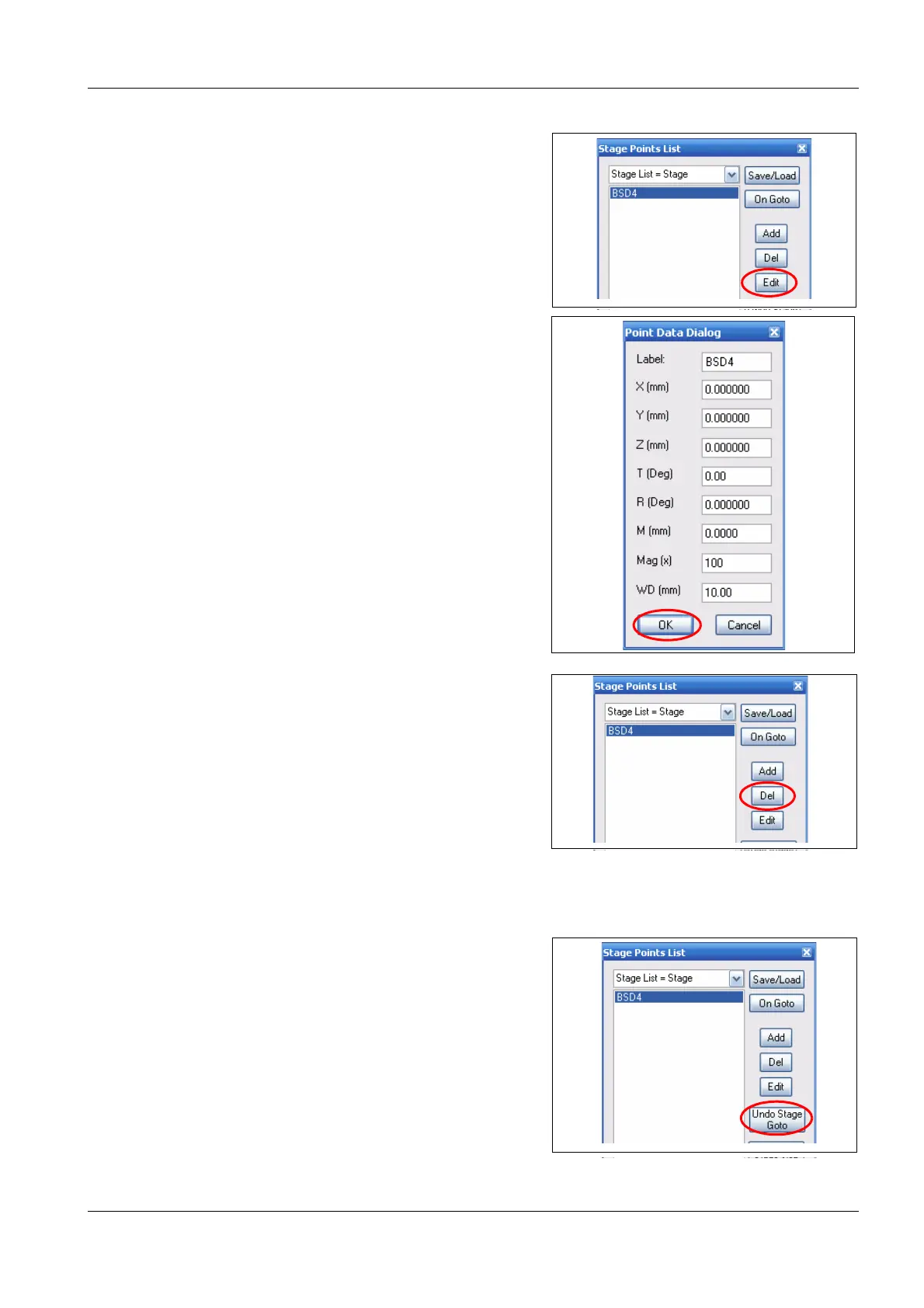
4 To edit a stage position, mark the position and
click on Edit.
The Points Data dialog panel opens.
a Set the desired parameters.
b Click on OK.
5 To delete a stage position, mark the position
and click on Del.
5.4.2. Recalling stage coordinates
1 To move the stage to a stored position
a Select the position
b Double-click on the name of the position.
2 To cancel the last stage move, click on Undo
Stage Goto



 To Next Page