fåëíêìÅíáçå=j~åì~ä=_paQ=ÇÉíÉÅíçê=ÉåMN =PN=çÑ=QQ
RK=léÉê~íáçå
5.3. Stopping the BSD4 detector in an emergency
5.3.1. Stopping the moving detector
In order to avoid property damage, the BSD4 detector can be stopped at any position.
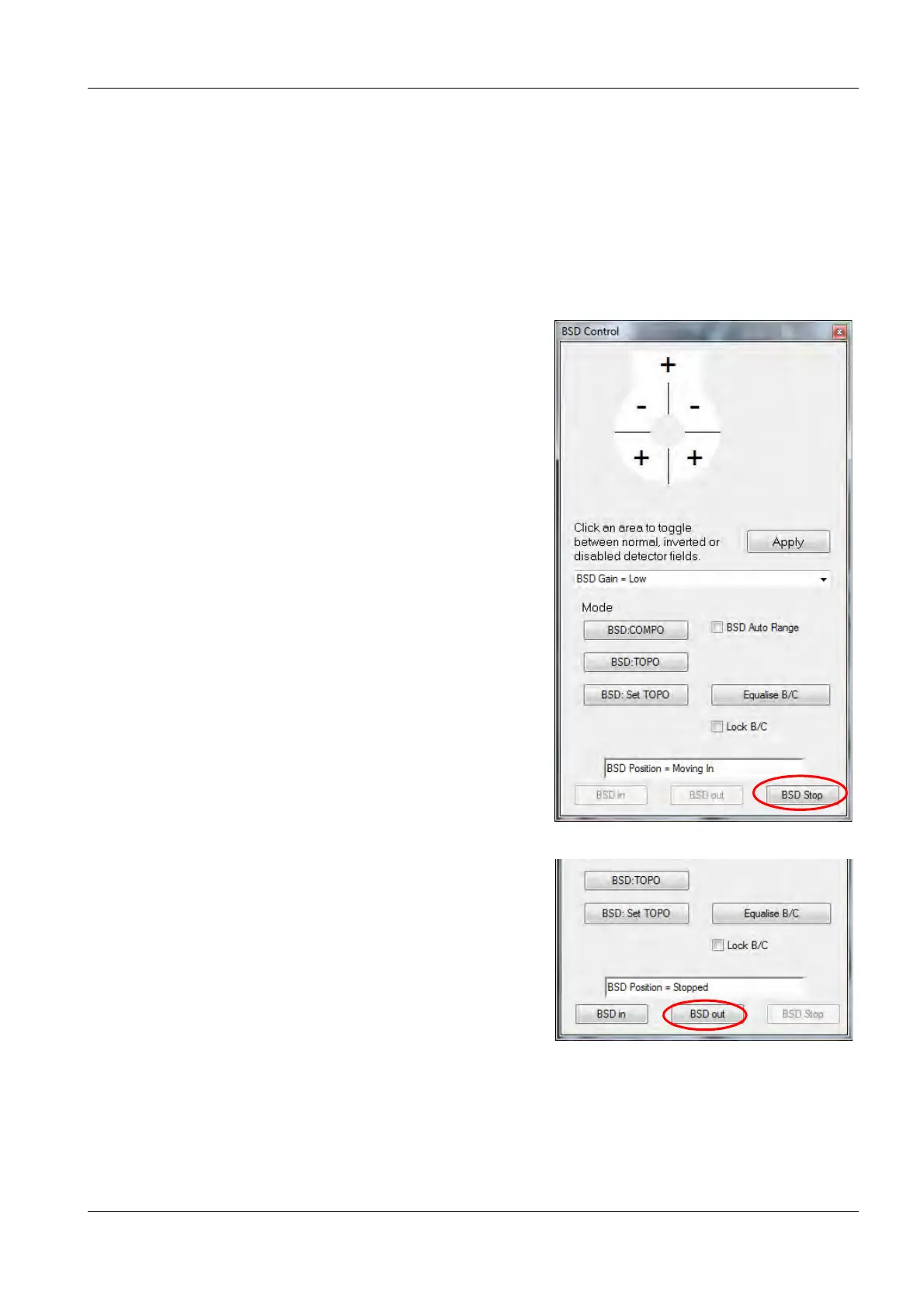
Therefore, a STOP button is integrated in the BSD Control panel.
If you notice, that the BSD4 detector has to be stopped, because it is going to hit components with-
in the specimen chamber:
1 Click on BSD Stop.
The BSD4 detector stops immediately.
2 To enable moving the BSD4 detector again,
click on BSD out.
The BSD4 detector is retracted to a save position.



 To Next Page