132 Preparations
G-30-1529-en OPMI® VISU 160 on S8, S81 & S88 Suspension Systems Issue 5.0
Printed on 09. 10. 2006
Connections
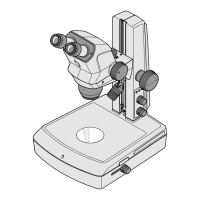
Connecting the surgical microscope
• Turn locking cap (1) by a quarter turn to the right or left and pull up cov-
er (2).
• Plug microscope connector (3) into connector (4) and tighten the se-
curing screws on the microscope connector.
• Press the microscope cable into cable clip (5). Install the cable in such
a way that it is neither stretched nor kinked when the microscope is
turned or tilted.
• Press down cover (2) as far as it will go and lock it with cap (1).
Connecting the S light guide
Warning!
Only operate the VISULUX
TM
fiber slit lamp with xenon illumination if you
can ensure that the light guide is equipped with a UV filter. A light guide
with UV filter in included in the upgrade kit, see ordering data. If a light
guide without UV filter is used, there is the risk of phototoxic retinal injury
to the patient's eye.
• Insert the end of the light guide into light guide socket (7) of the micro-
scope as far as it will go, and press the light guide into cable clip (6).
Note:
Make sure that the light guide is not stretched or bent when the micro-
scope is turned or tilted.



 To Next Page