64 Description
G-30-1529-en OPMI® VISU 160 on S8, S81 & S88 Suspension Systems Issue 5.0
Printed on 09. 10. 2006
12 DeepView button
Permits the selection of different modes. When you switch on the
system, the mode for transmission optimization is set by default. This
mode is recommended for viewing the posterior segment of the eye.
Press the button to activate the mode for depth of field optimization.
The green LED in the button is lit. This mode is recommended for
viewing the anterior segment of the eye.
The next time the system is switched on, the mode last selected will
be activated.
13 Manual adjustment of the zoom system
14 Adjusting lever for 6° illumination
for gradual fading in/out the coaxial illumination. Fading out the 6° illu-
mination improves the visualization of structures in retro-illumination.
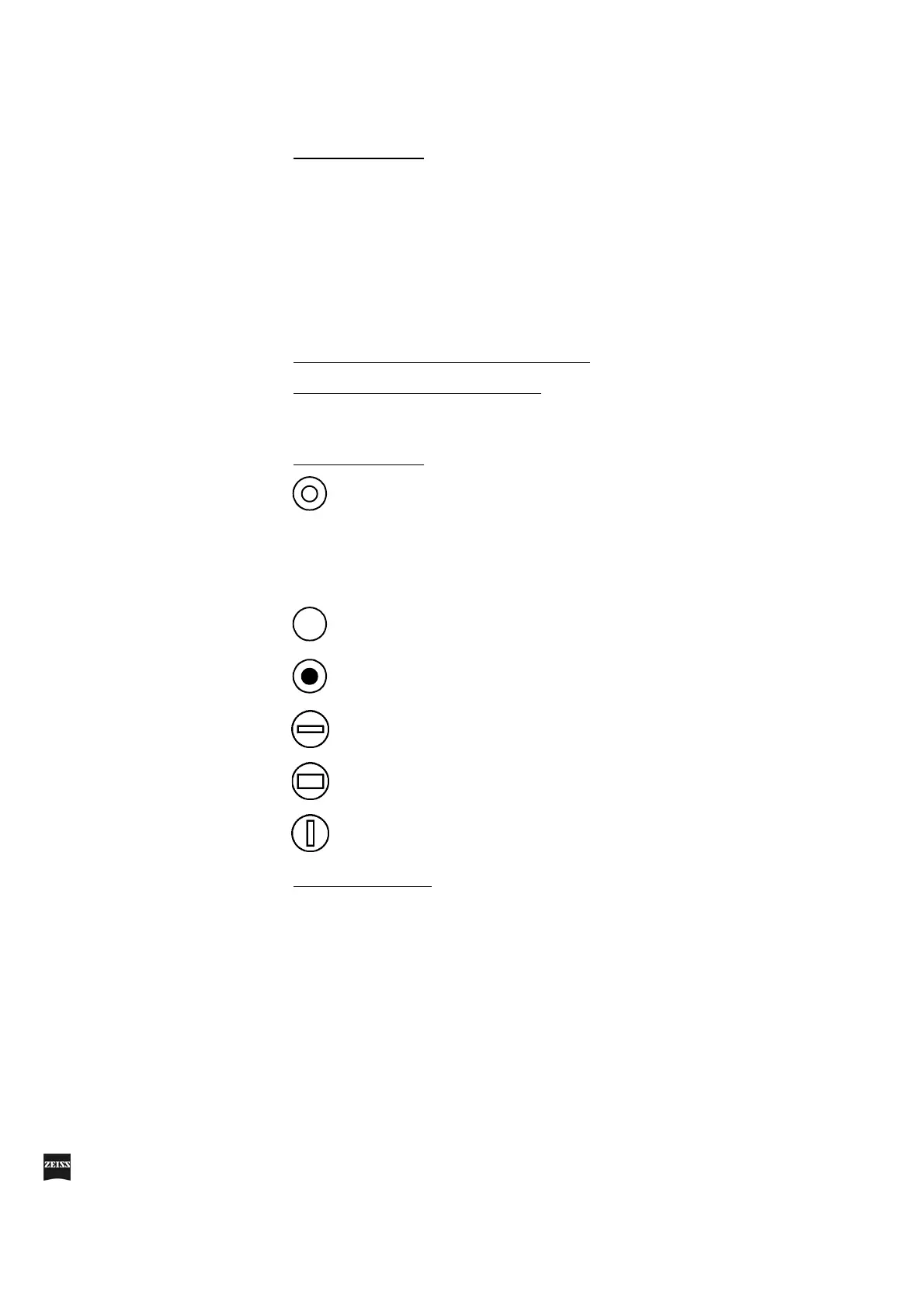
15 Aperture selector
16 Light guide socket
Retro-illumination contrast-enhancing stop.
This stop reduces the straylight reflected from the sclera.
Diameter approx. 16 mm (with objective lens f = 200 mm):
Clear aperture.
Outside the diameter of approx. 16 mm: Partially transmitting
periphery.
Clear aperture. The field of view is fully illuminated.
Retinal protection device. This device does not snap in, i.e. it
can be moved continuously in the image.
Horizontal slit with a width of 2.5 mm. The slit can be continu-
ously moved in the vertical direction in the field of view.
Horizontal slit with a width of 5 mm. The slit can be continu-
ously moved in the vertical direction in the field of view.
Vertical slit with a width of 2.5 mm. The slit snaps in at the
center of the field of view.



 To Next Page