EN
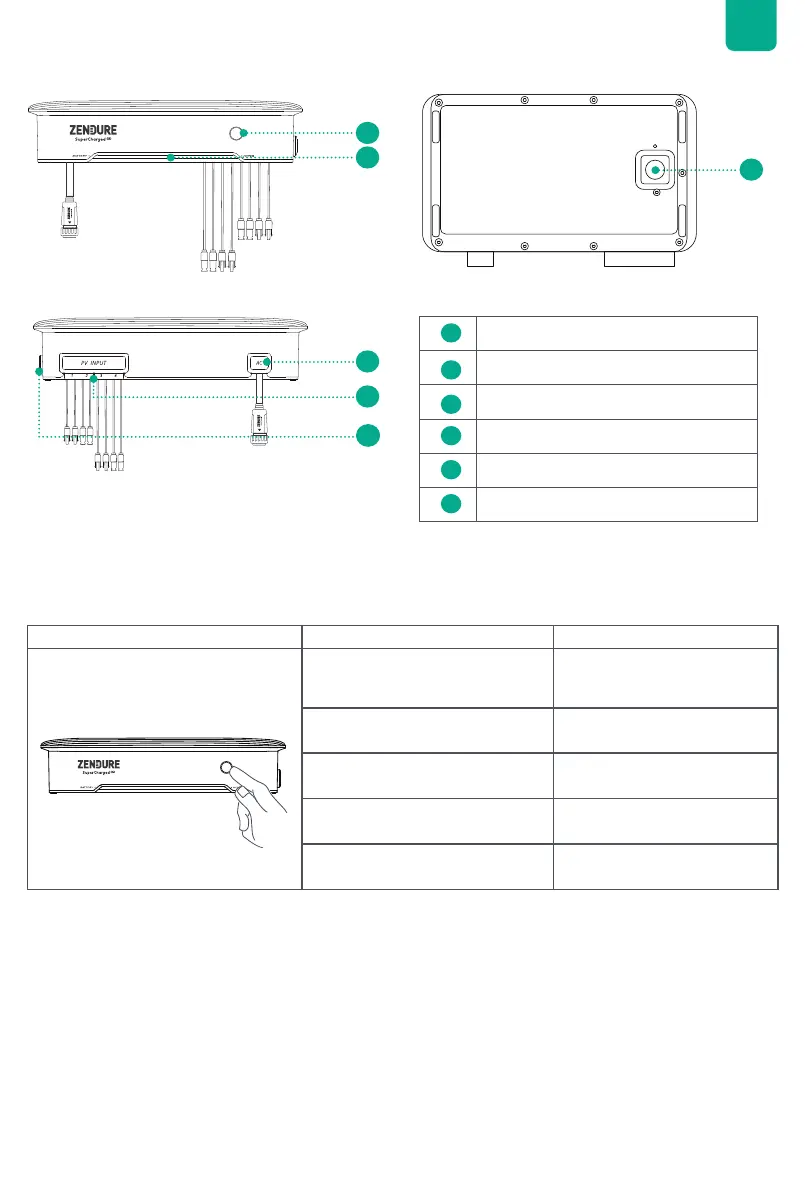
5.2 Product Overview
5.3 Button Controls
1
3
6
5
2
4
Button Action Function
Press once when powered on
The LED lights up to display
the remaining battery level or
other operational statuses.
Press for 2 second Turn on the Hyper 2000
Press for 3 seconds Reset Wi-Fi connection
Press for 6 seconds Turn off the Hyper 2000
Press for 10 seconds Reset the Hyper 2000
1
Button
2
LED Light Strip
3
AC Port
4
PV Inputs 1-4
5
Antenna
6
Battery Terminal


 To Next Page