Mounting
Mounting
The IP Gateway is designed to be either a free-standing device or, with a special top
cover, a rack-mount device. A free-standing IP Gateway has no mount points. An IP
Gateway with a top cover meant for rack mounting has two ears with a total of four holes.
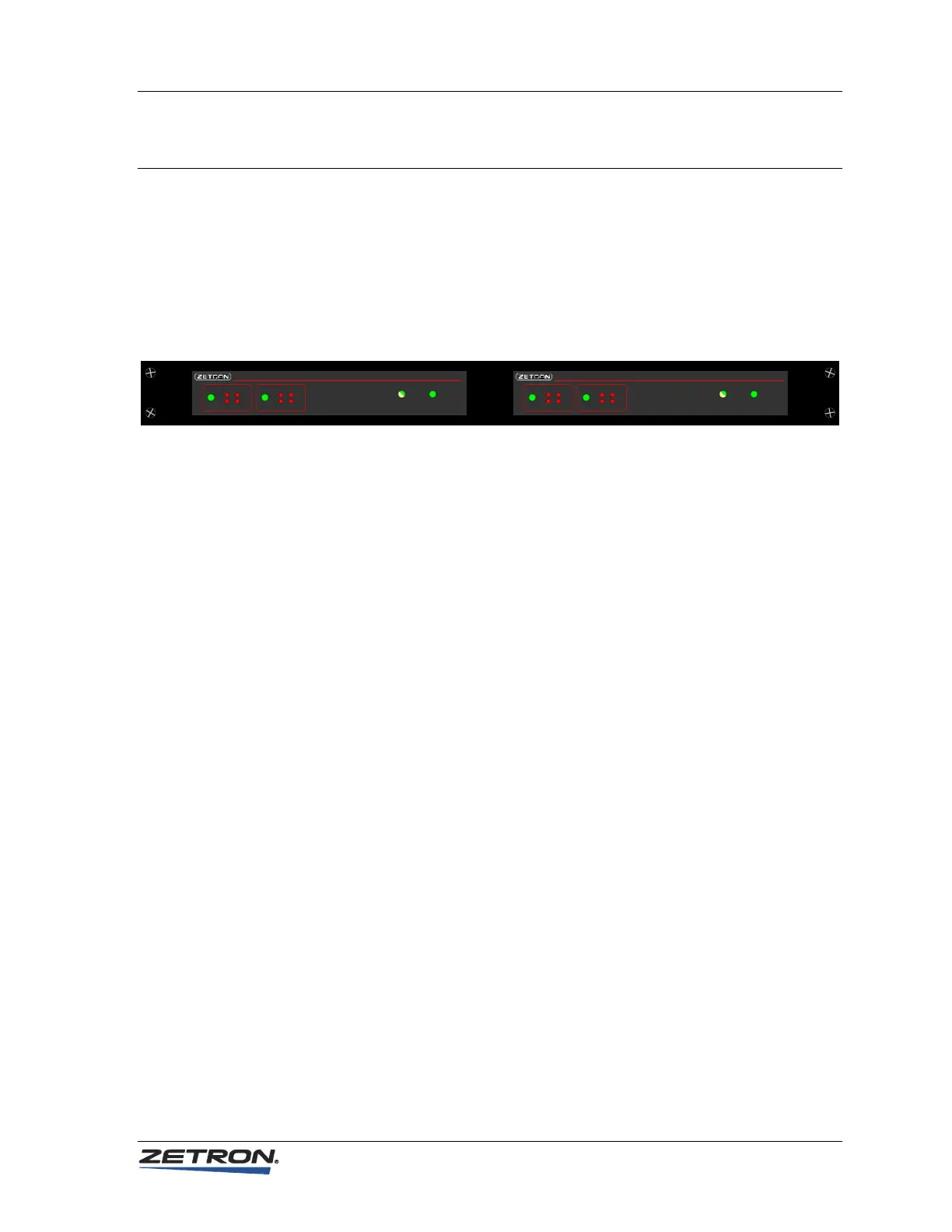
In the rack-mount configuration, there are one or two IP Gateways per mounting plate.
The following diagram shows two IP Gateways in a dual unit rack mount plate (P/N 950-
0588). A single unit rack mount plate is also available (P/N 950-0589).
Network Power
Model 6300 IP Gateway
Status IP Radio
TX
RX
Link 1
Status
TX
RX
Link 2
IP Radio
Network Power
Model 6300 IP Gateway
Status IP Radio
TX
RX
Link 1
Status
TX
RX
Link 2
IP Radio
Zetron iRIMs, VoIP Radio Gateways, and IP Gateways all have similar external cases
and all use the same rack mount plates. A dual unit rack mount plate may save rack space
and/or provide a more intuitive hardware layout.
♦
To mount the IP Gateway in a rack-mount configuration
1. Read Physical Dimensions on page 9.
2. Hold the rack mount in the proper top/bottom orientation. On a dual unit plate,
the long edge with two rounded corners is the top. On a single unit plate, the side
with the stripe is the top.
3. Slip the IP Gateway “ears” over the threaded studs on the back of the rack mount
plate.
4. Secure the unit with the four provided 4-40 nuts. Repeat for additional units.
5. Install the mount plate and attached units by driving the four provided screws
through the mounting plate into the rack. This is best done with two people: one
to support the weight and position of the hardware and the other to drive the
screws.
17



 To Next Page