Physical Installation
DIP Switches
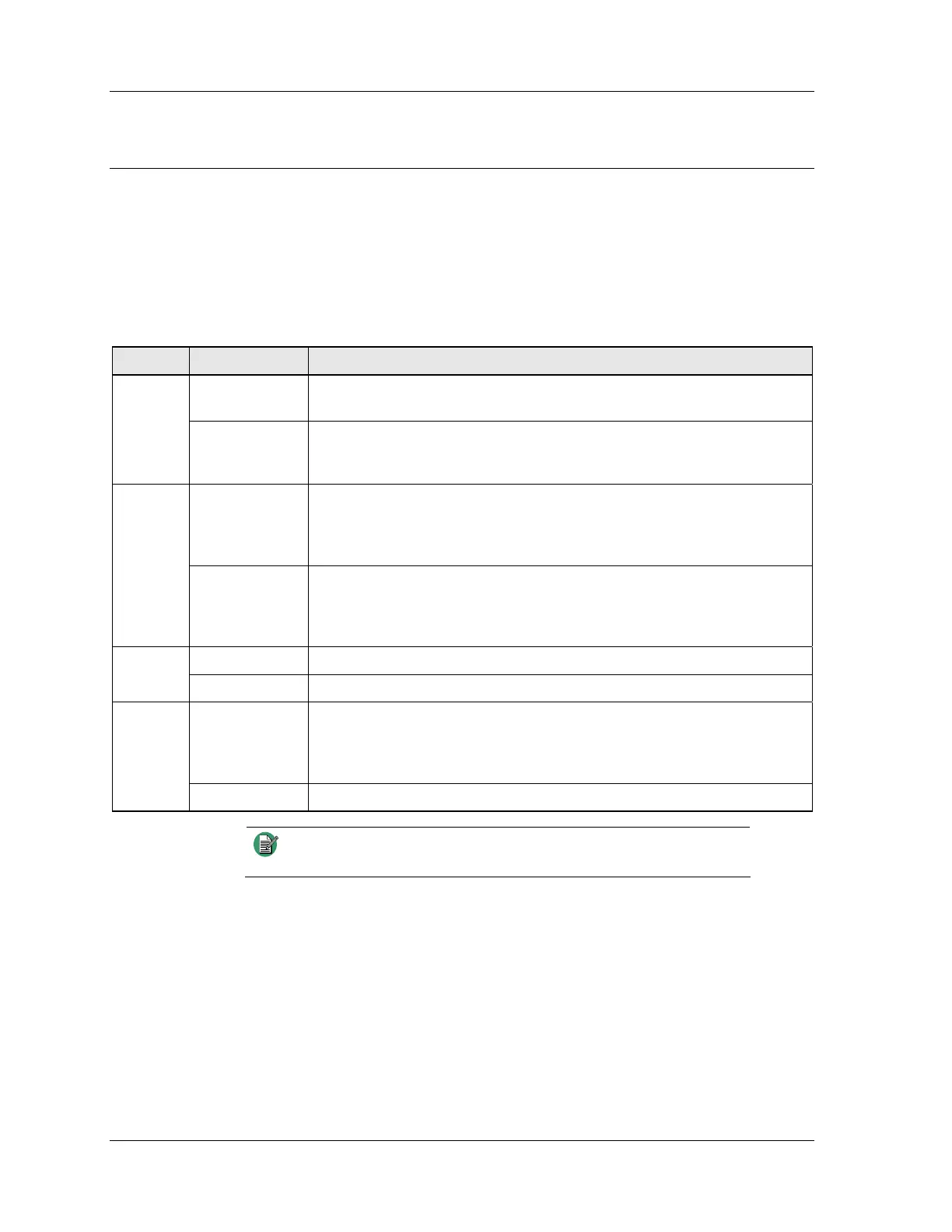
Each IP Gateway has four DIP switches at the rear that must be configured before power
is applied. The following table describes the purpose of each of the DIP switches for
troubleshooting and reference purposes. For most purposes, the switches can be left in
their default positions.
Table 1 - IP Gateway DIP switch settings
Switch Position Description
Up (Default) The IP Gateway uses the IP parameters and password that the unit is
configured with.
A
Down The IP Gateway uses hard-coded IP parameters and password, and they are
determined by switch B. Use this position if you have forgotten the password
and need to reset it.
Up (Default) IP address = 192.168.0.1
Netmask = 255.255.255.0
Gateway = 192.168.0.100
Password = 8206363
B
Down IP address = 192.168.0.133
Netmask = 255.255.255.0
Gateway = 192.168.0.100
Password = 8206363
Up (Default) Disables option uploads and restore factory defaults feature. C
Down Enables option uploads and restore factory defaults feature.
Up Perform a full memory test at power-up. The front panel LEDs will remain lit
for the duration of the test (approximately 15 seconds). If there is no error, the
IP Gateway will boot up. If there is an error, the LEDs will flash for 10
seconds and the IP Gateway will attempt to boot up.
D
Down (Default) Skip memory test and attempt to boot up normally when power is applied.
Note
The normal operating position for the four switches are UP, UP,
UP, DOWN.
18 025-9631D.1



 To Next Page