Configuring Two IP Gateways on a Wide Area Network (WAN)
Configuring Two IP Gateways on a Wide Area Network (WAN)
This section describes how to configure two Model 6300’s to operate over two different
subnets of a Wide Area Network (WAN). This also applies to using the Model 6300
between two sites interconnected by the Internet.
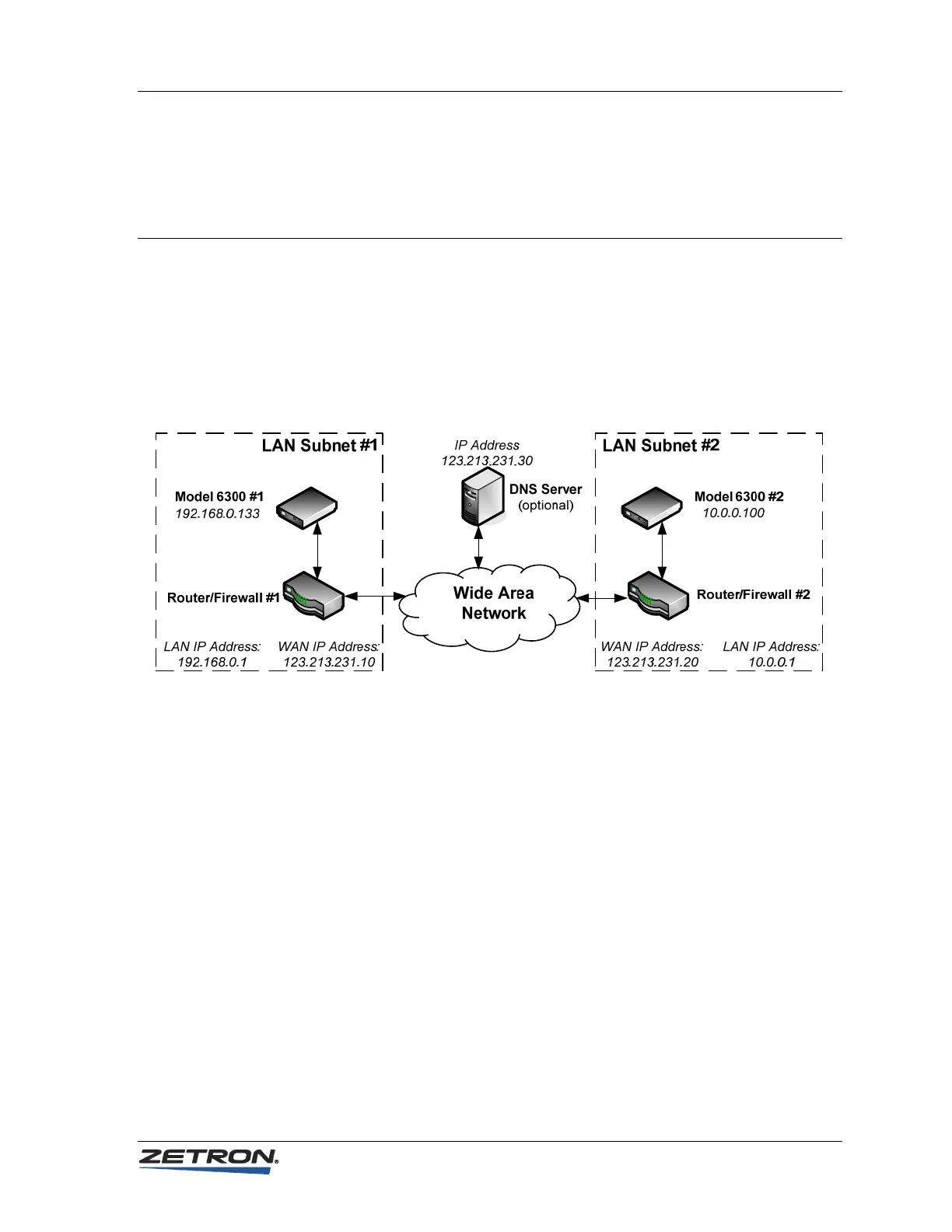
In a WAN or Internet configuration, there is typically a router, access point or firewall
between the WAN and the Local Area Network (LAN). The following figure shows a
diagram of a typical scenario.
Given the WAN above, here is how you would configure the RoIP Gateway parameters
to allow Link 1 of the Model 6300 #1 to be paired with Link 1 of the Model 6300 #2.
System Parameters for Model 6300 #1:
• IP Address: 192.168.0.133. Usually the first three fields of the IP address
(192.168.0) must match the first three fields of the LAN IP Address of
Router/Firewall #1. The last field must be unique and not used by any other
device within LAN Subnet #1.
• Netmask: 255.255.255.0. Most local area networks have less than 256 devices
within their subnet (i.e. Class C) and therefore almost always use a net mask of
255.255.255.0.
• IP Gateway: 192.168.0.1. This must match the LAN IP address of
Router/Firewall #1.
• DNS Server IP Address: 123.213.231.30. This is only needed if an IP Send
Address in the Link Parameter Configuration pages use a URL rather than an IP
address. If used, this must match the WAN IP address of the DNS Server
otherwise this field should be left blank. See note.
35



 To Next Page