Control cards
17www.zepro.com
Control unit input indication
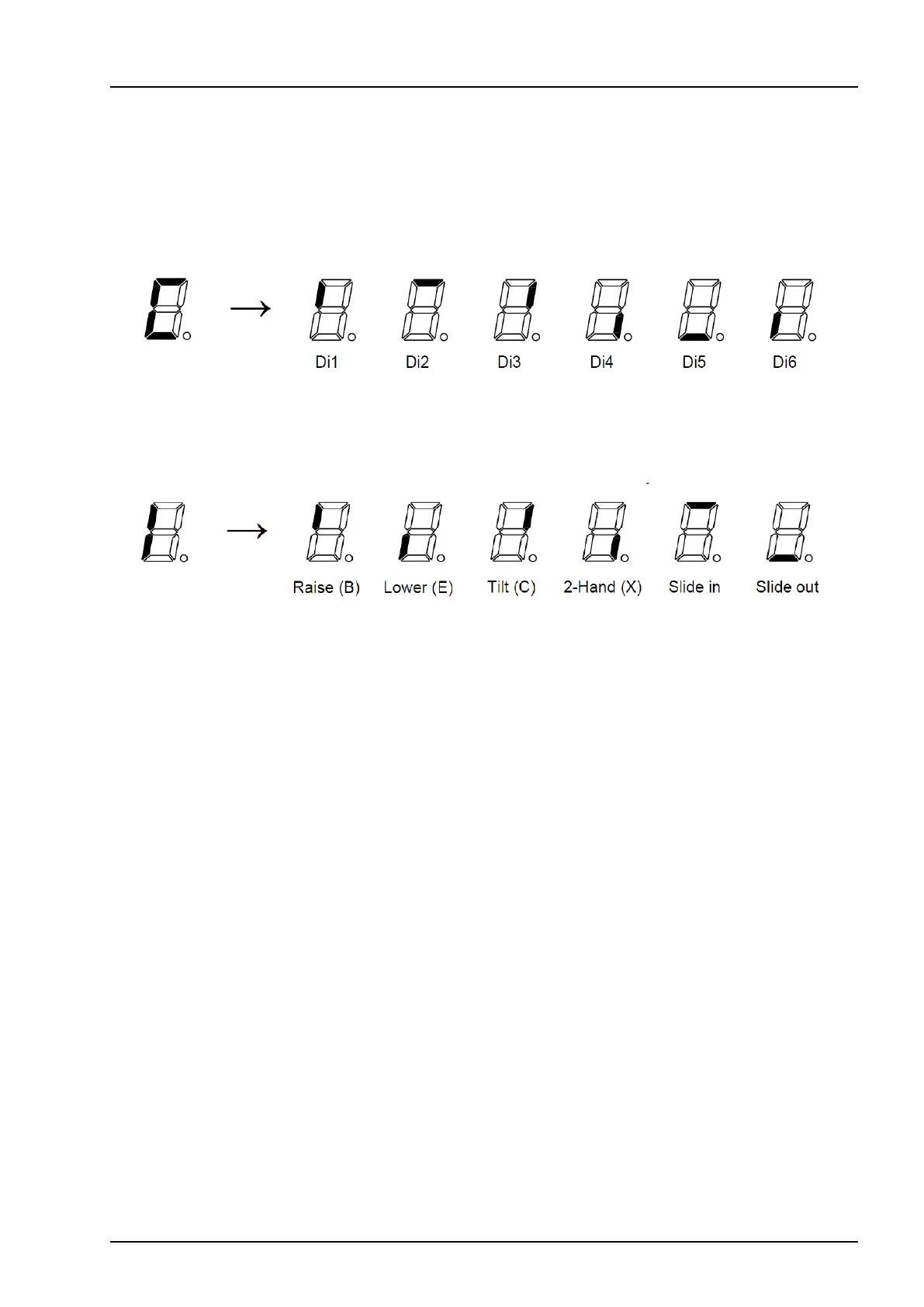
When a button is pressed on a control unit this is indicated on the display. The active control unit (1-6) is
shownrst,followedbytheactivebuttonaccordingtothegurebelow.Ifmorethanonebuttonispressedat
the same time, the sectors denoting all pressed buttons will lit up at the same time.
Once a button has been released, the control system for the current control device is locked for a while to
ensure that no other person operates the lift from another control device. The current control device number
(1-7)willashonthedisplaywhilethecontrolsystemislockedtoit.Thisprimarilyappliestoradioandcoil
control devices, as other control devices have such a short locking period that there is hardly time to see the
indication.
Thenumberwillstopashingwhenoneofthecurrentcontroldevicebuttonsispressed.Ifthecontrolcard
has been without voltage and receives the voltage again when the CS (cabin switch) is switched on, “7” will
ashonthedisplayandthecontrolcardislockeduntiltheOff/OnontheCSisoperated.
Sensor input indication
As long as no buttons are pressed and no faults are detected, the display will show the sensors that are active
at the time. This is displayed by the letter “C” followed by lit sector(s) corresponding to a sensor input as shown
below. Note that more than one sensor can be active at the same time in which case more than one sector will
be lit at the same time.


 To Next Page