Installation and Operating Instructions V04 28
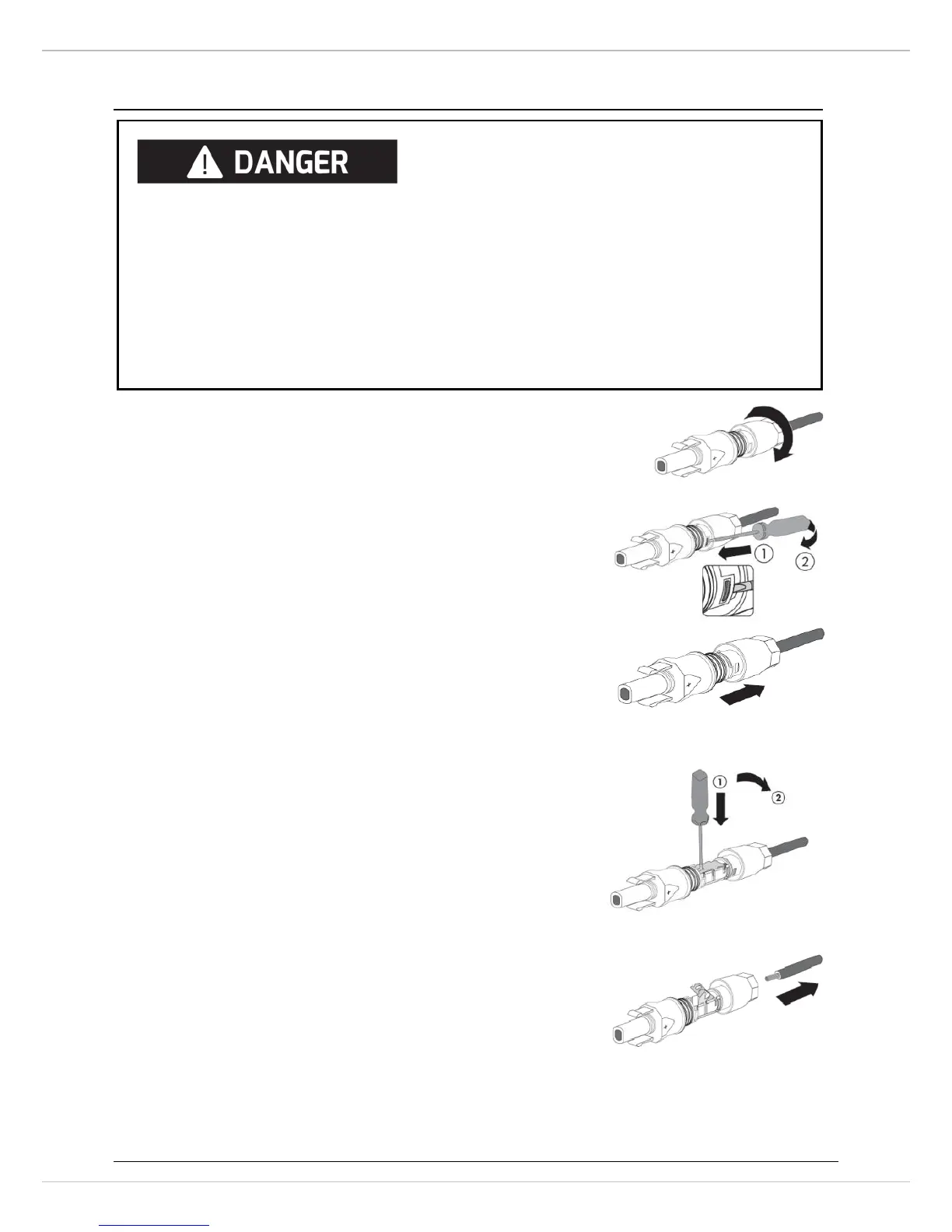
5.5.3 Disassembling the DC connectors
1. Unscrew the swivel nut.
2. To release the DC connector, insert a flat-blade
screwdriver (blade width: 3.5 mm) into the side
catch mechanism and lever open.
3. Carefully pull the DC connector apart.
4. Release the clamping bracket. To do so, insert a
flat-blade screwdriver (blade width:3.5 mm) into
the clamping bracket and lever it open.
5. Remove the cable.
Danger to life due to high voltages on DC conductors
is present in the DC conductors. Touching the DC conductors can lead to lethal
electric shocks.
• Cover the PV moduleswithapaque material.



 To Next Page