39 Installation and Operating Instructions V04
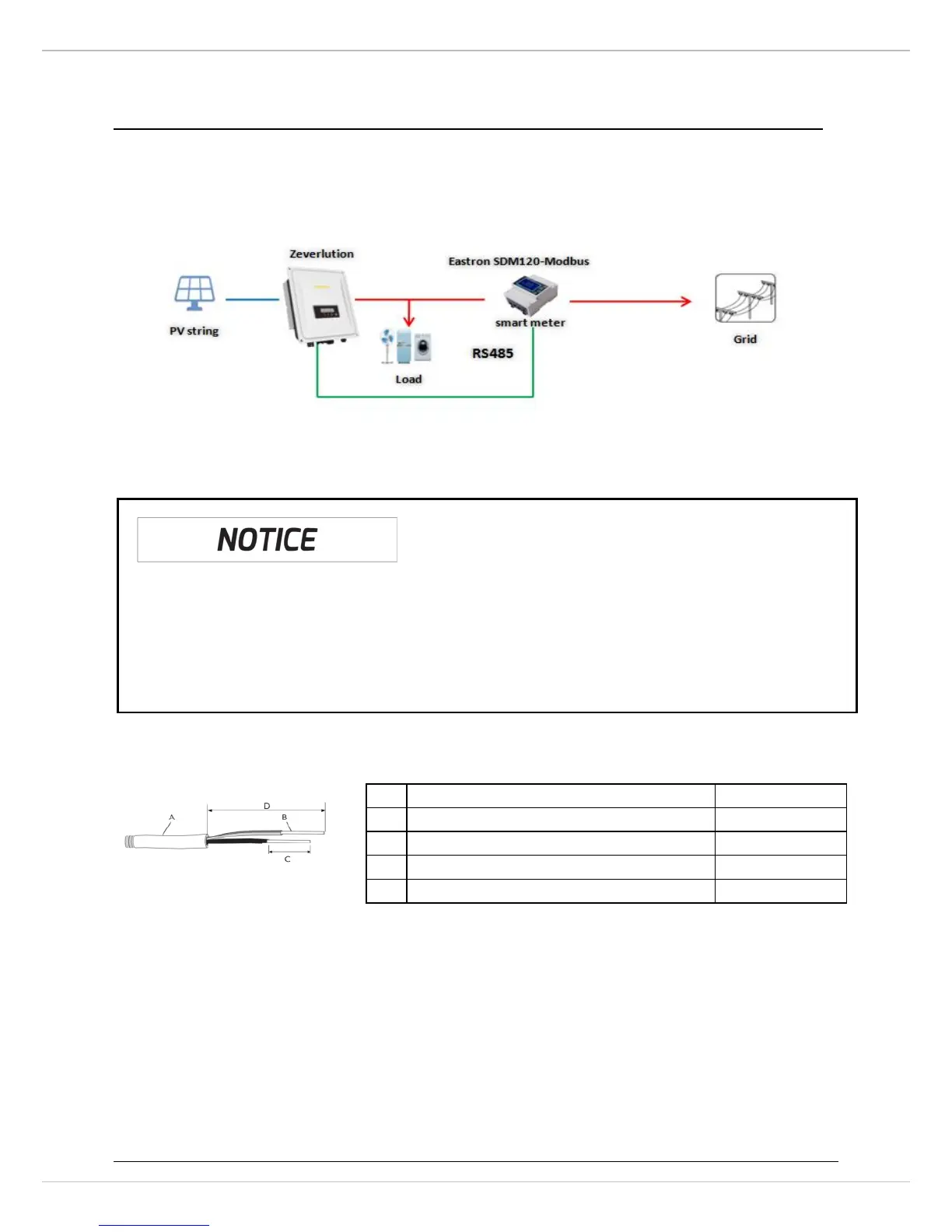
6.5 Active power control with smart meter & ComBox
The inverter can control activepower output via connecting smart meter and
ComBox integrated in Zeversolar’sinverter,following is the system connection mode.
Smart meter(model: SDM120,SDM220,SDM230-Modbus) connecting method and
baud rate setting method, please refer to smart meter user manual.
Connect the smart meter to the inverter:
1. Cable requirements:
2. Route the cable into inverter through the cable gland, referring to the cable
connection (Section 6.1).
Possible reason of communication failure due to incorrect connection
• ComBox only supports single inverter to do active power control
• The overall length of the cable from combox to smart meter should not



 To Next Page