35 Installation and Operating Instructions V04
6.3 System monitoring via WiFi
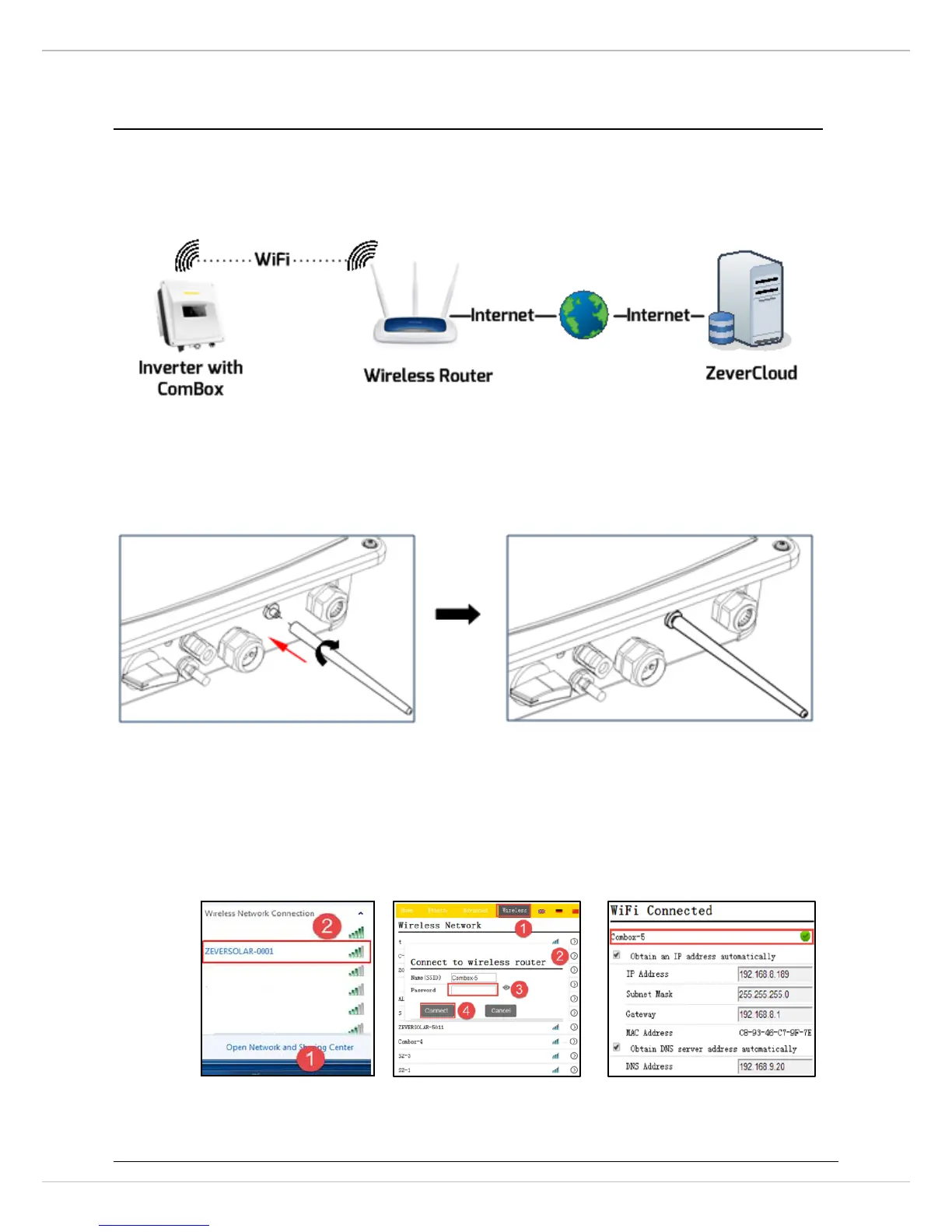
User can monitor the inverter through the integrated ComBox with WiFi module
(optional). The connection diagram between the inverter and internet with a
WiFi connection is shown as follows.
Mounting the antenna:
Take the antenna included in the scope of delivery.
Tighten the antenna into the WIFIconnection port by hand. Make sure the antenna is
securely connected.
1. Open your mobile device or laptop’s WLAN page. The new access point called
ZEVERSOLAR -XXXX is displayed. Note: "XXXX" stands for the last four digits in
the Registry ID (Figure A).
2. Connect to the access point using your mobile device or laptop, the password is
‘zeversolar’.
FigureA FigureB FigureC



 To Next Page