COMMUNICATION
17
3
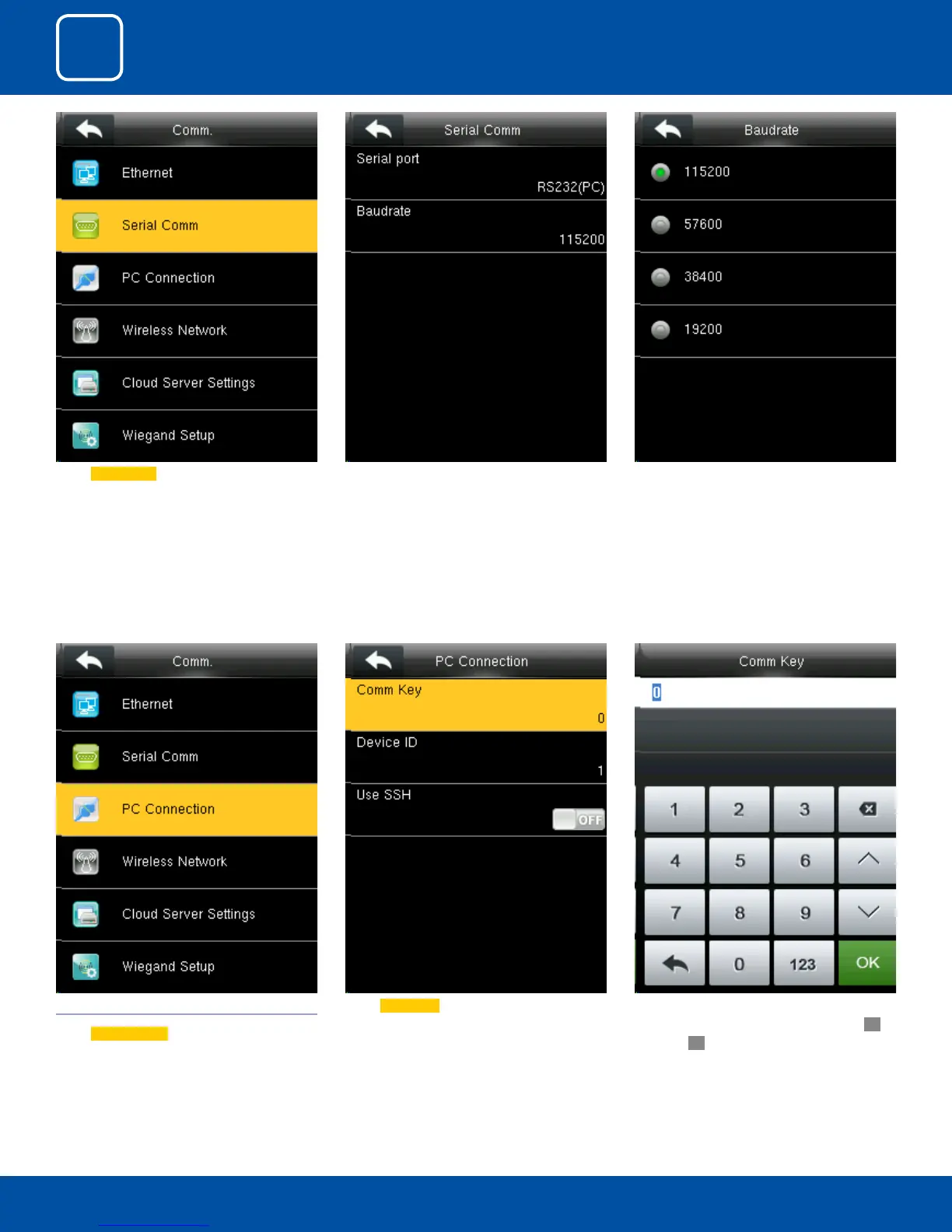
Enter a password, using the keypad in the input
box as shown above and to select Conrm
OK
and press
OK.
Select Comm Key .3.3 PC CONNECTION
Select
PC connection .
There are ve options: 9600, 19200, 38400, 57600
and 115200. If the communication speed is high,
RS232 is recommended. If the communication
speed is low, RS 485 is recommended
Baudrate: Used for communication with PC.
Select Serial Comm as not using if you do not
want to use the port.



 To Next Page