SYSTEM
25
4
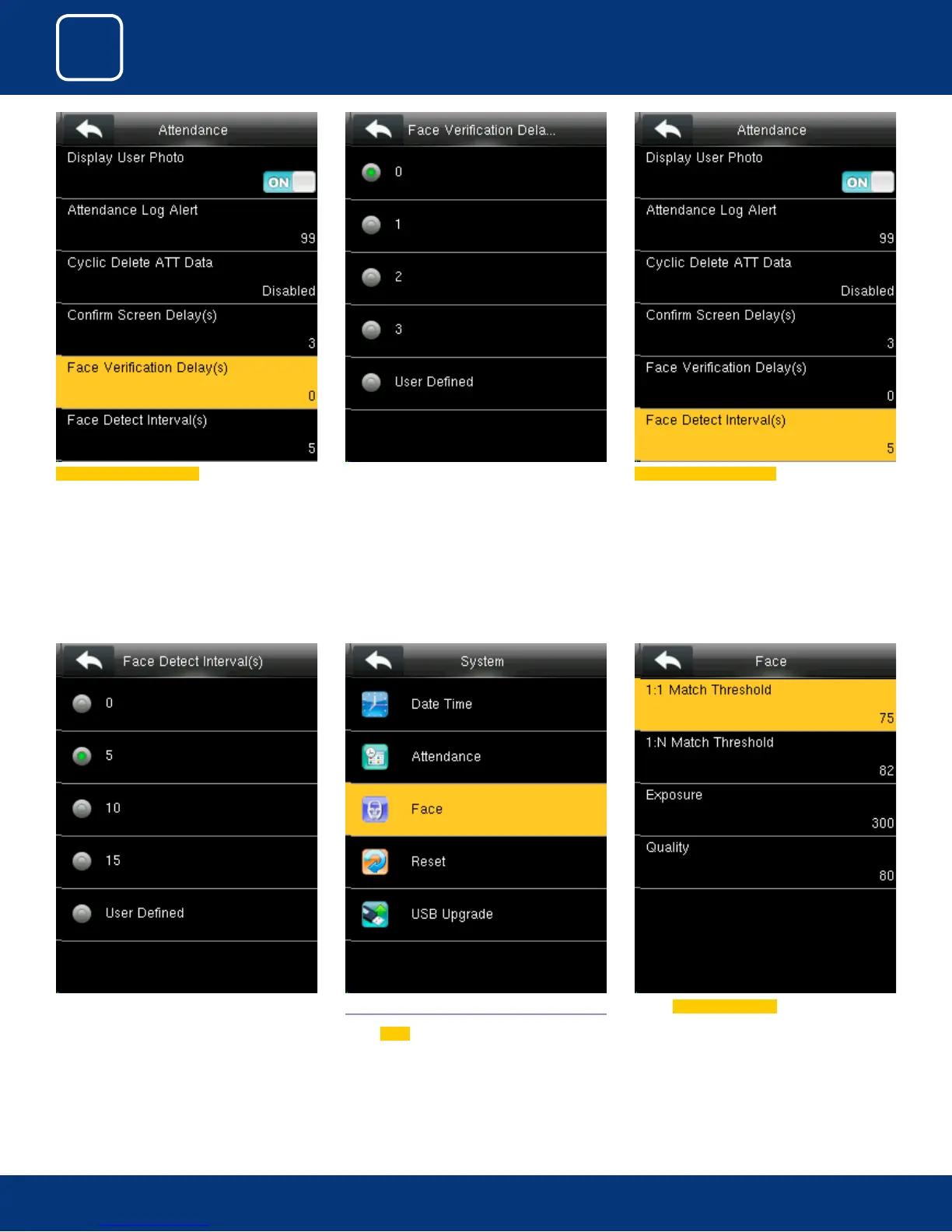
You can detect the Interval for the face from
options above.
The time ranges in seconds
4.3 FACE
Select
Face
Select 1:1 Match Threshold from above.
Select Face Verication Delay
You can change the Delay for the verication of
the face from options above.
The time ranges in seconds
Select Face Detect Interval(s)



 To Next Page