PERSONALIZE
35
5
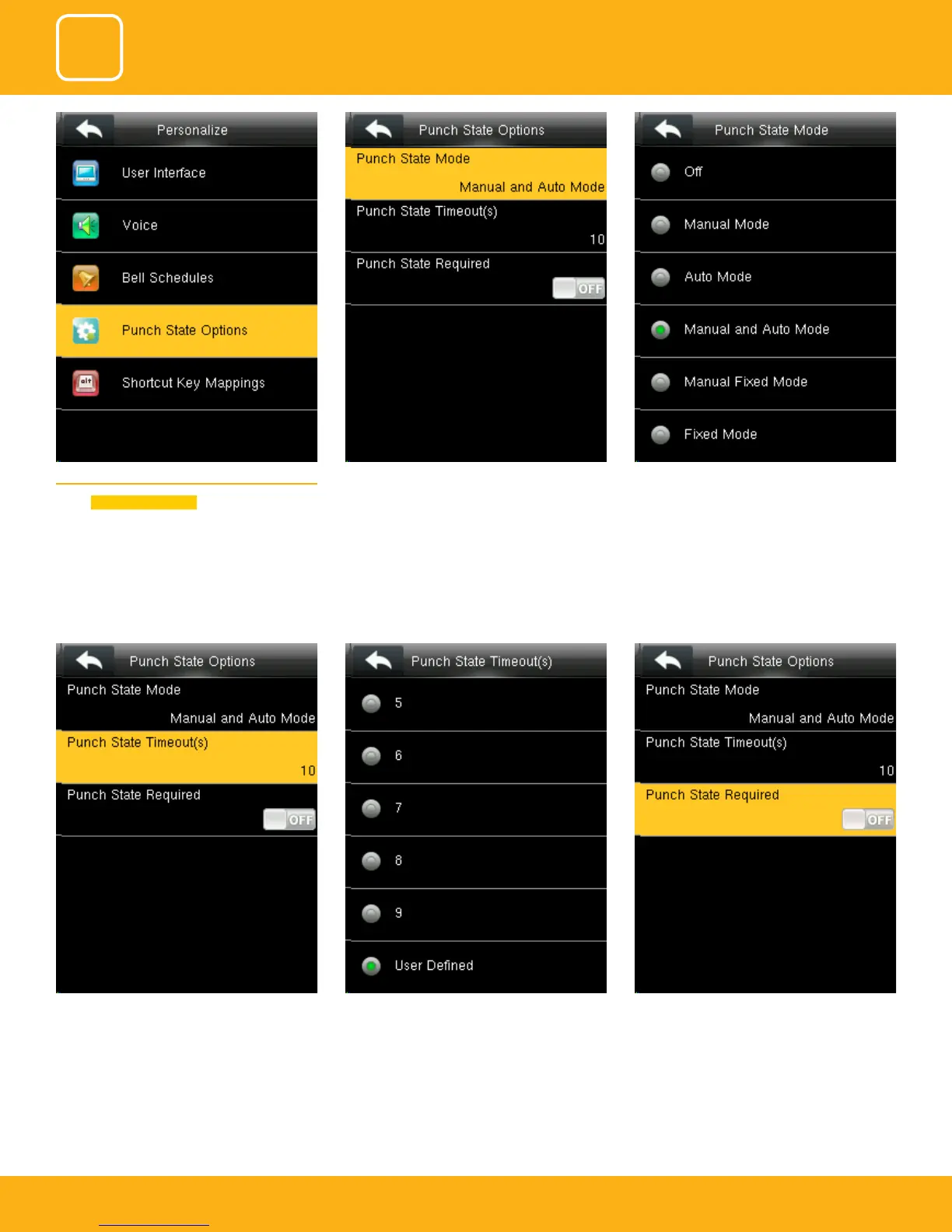
Punch state timeout species the timeout period
of the status key displayed on the main interface.
You can change the punch state timeout from
the image above. The timeout ranges from 5 to
99 sec.
Species whether the status of work attendance
check must be selected during authentication.
Here when its o it won’t be selected.
5.4 PUNCH STATE OPTIONS
Select
Punch State Options .
Select items. When the setting is completed, click
to save the setting and exit.
The main interface displays the status keys that
can be switched automatically, and you are
also allowed to switch status keys manually. A
status key you select manually will be switched
according to the automatic switching plan after
it disappears upon a timeout.



 To Next Page