JOB CODE
73
12
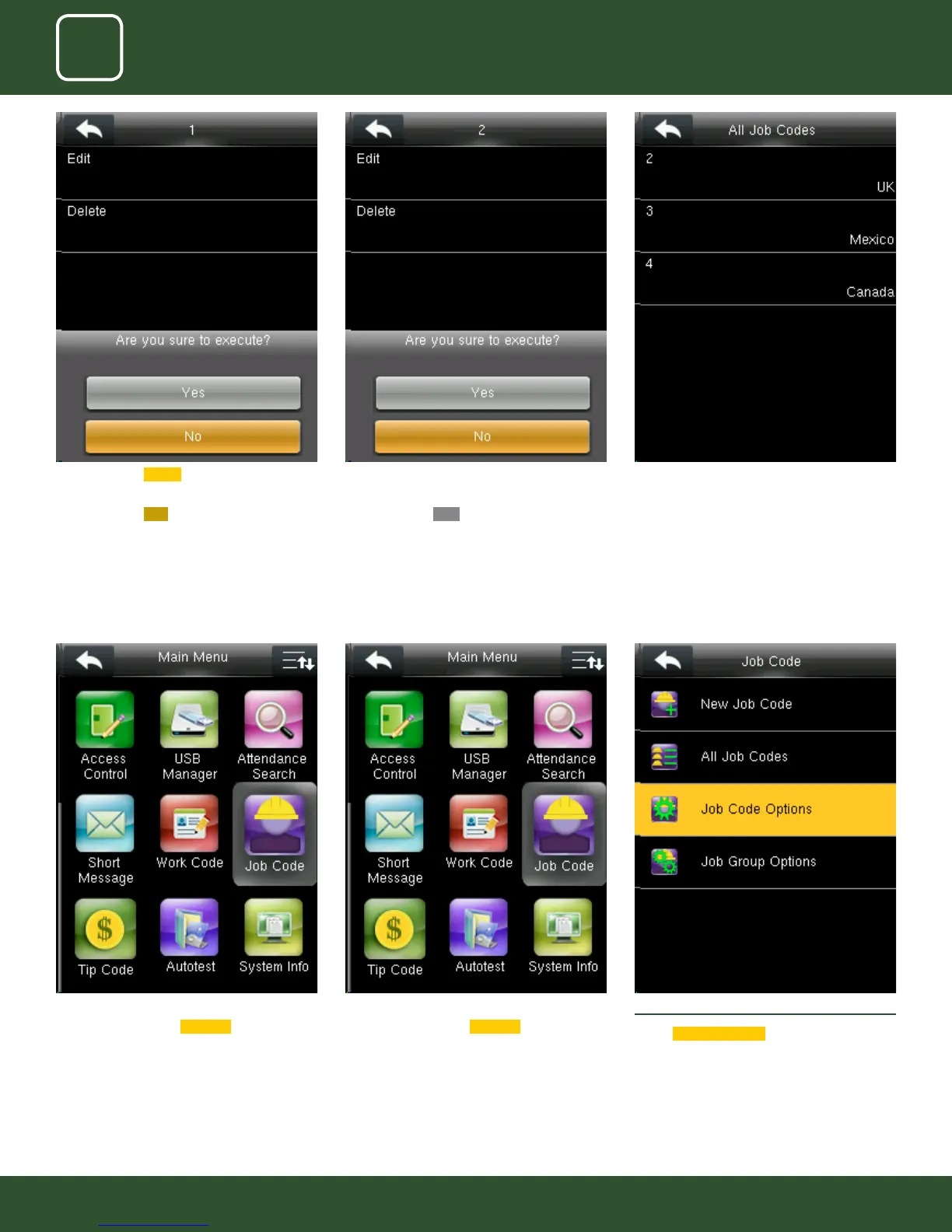
Job Code Options_Menu_Operation
Go to menu and select
Job Code icon.
Job Code Options_Menu_Operation
Go to menu and select
Job Code icon.
12.3 JOB CODE OPTIONS
Select
Job Code Options .
When you press Delete the above screen will be
displayed.
When you press
NO to execute it will go back
to last menu screen and nothing will be edited
or deleted.
When you press delete the above screen will be
displayed.
When you press
YES to execute it will execute
the function and delete the particular job group
you selected “Country”.
Group name Country is deleted and the other
groups remains as shown above.



 To Next Page