DATA MANAGEMENT
42
6
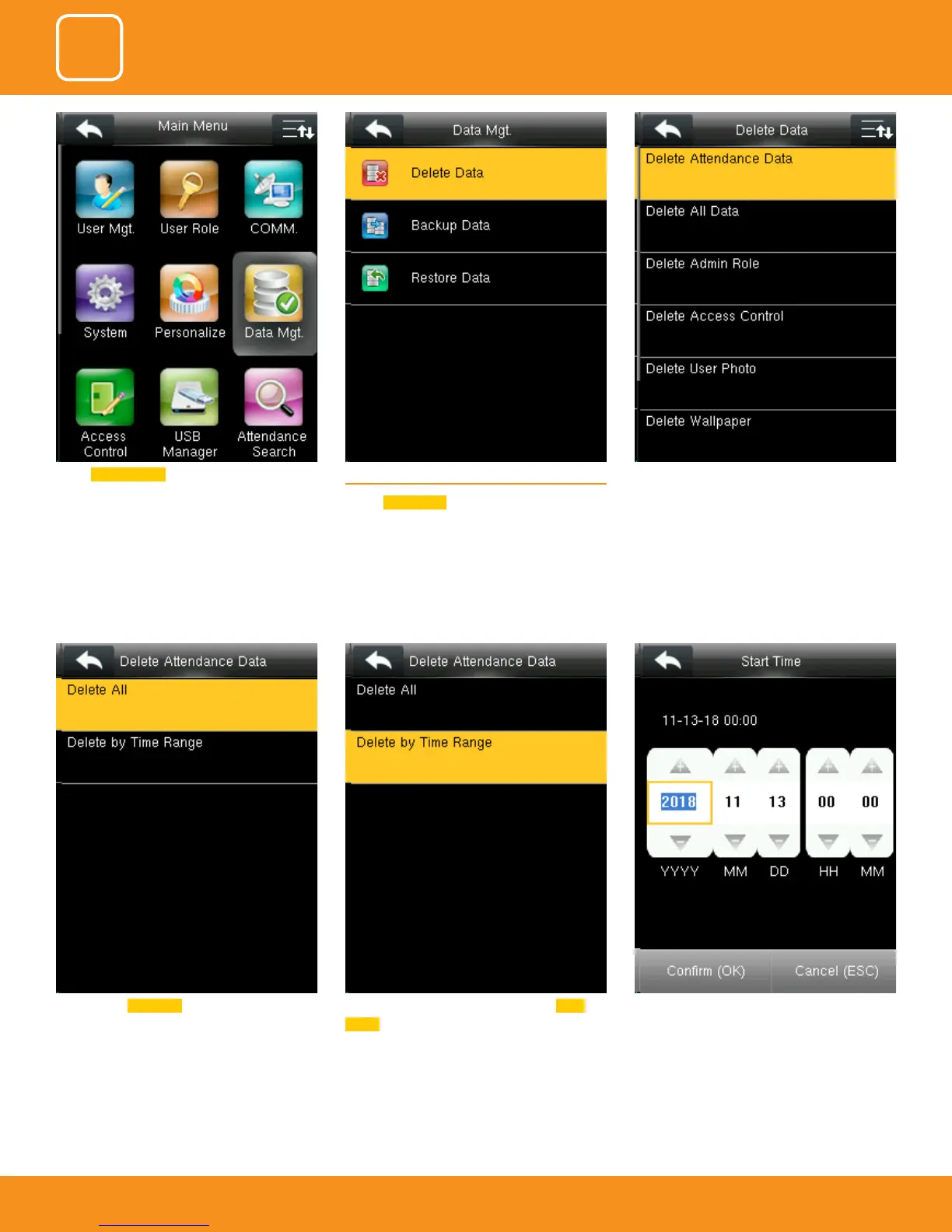
When select Delete All it will delete all the
attendance records
You can delete the attendance data by Time
Range too.
To select by time range you can select the time
you want the data to be deleted.
It will delete the data for that specic time you
selected.
Select Data Manager . 6.1 DELETE DATA
Select
Delete Data .
It will delete the attendance records



 To Next Page