PERSONALIZE
32
5
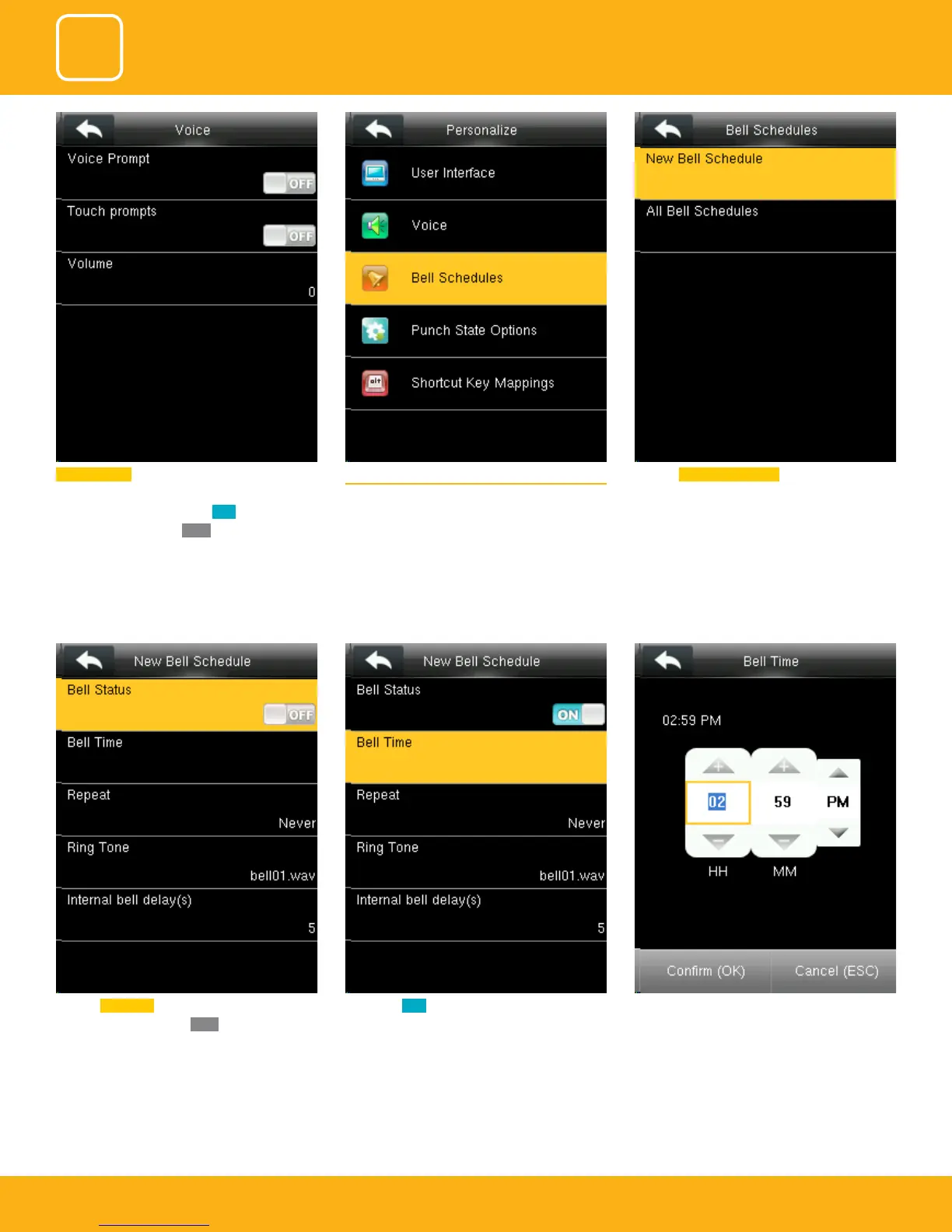
The bell rings automatically when it is the spec-
ied time.
If you turn ON it will enable the bell.Click on Bell Status. It is whether you want the
bell to enable. If you turn
OFF it will disable the
bell.
5.3 BELL SCHEDULES
Select “Bell Schedules” .
Touch prompt: - This parameter is used to set
whether to generate beep sound in response to
every keyboard touch. Select
ON to enable the
beep sound, and select
OFF to mute
Click on New bell schedule.



 To Next Page