PERSONALIZE
31
5
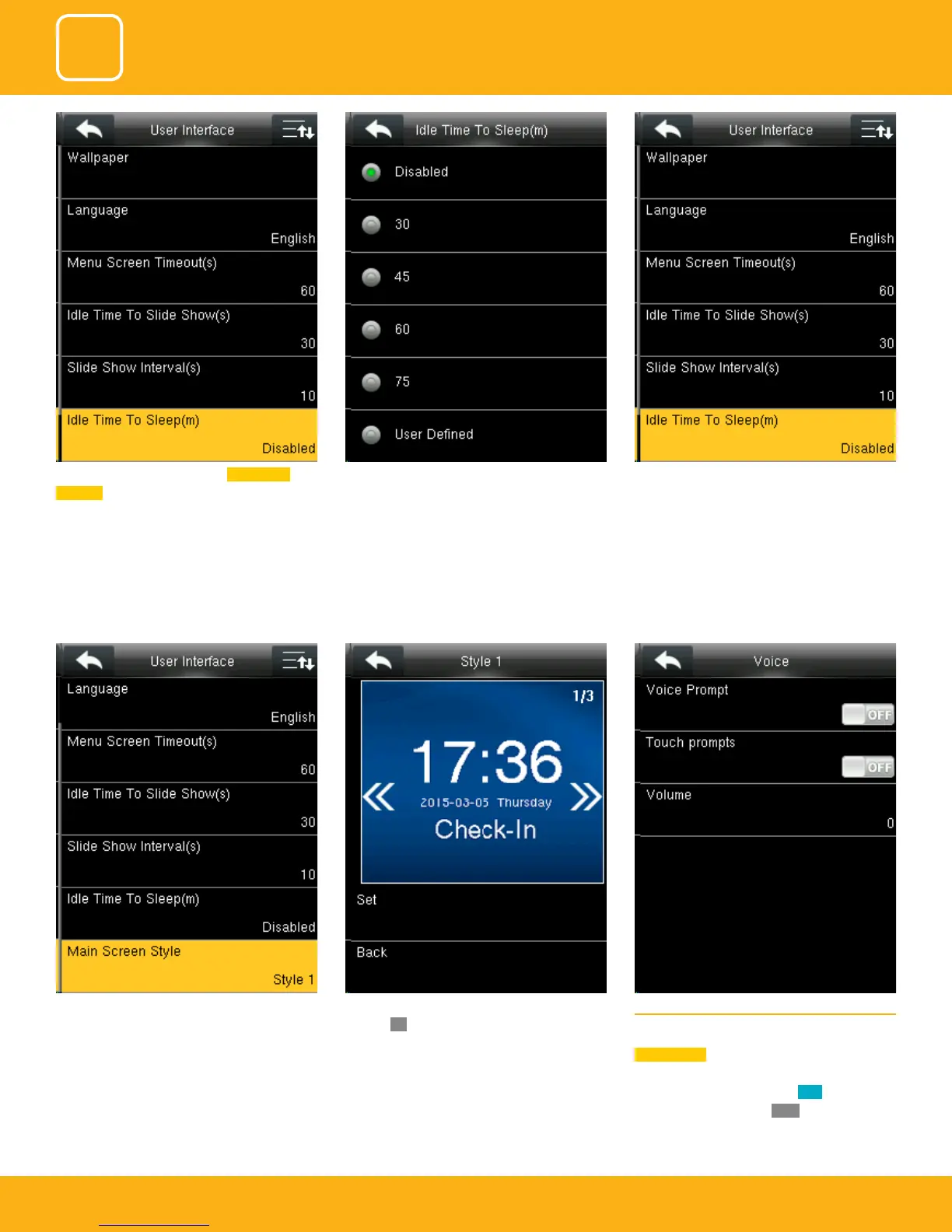
This is to set where and how the clock and status
key are displayed on the main screen.
Here is the “Style 1”. If you want this style press
SET and
OK. And if you don’t want this style
simply press back.
5.2 VOICE
Select “Voice” .
Voice prompt: This parameter is used to set
whether to play voice prompts during the opera-
tion of the FFR terminal. Select
ON to enable the
voice prompt, and select
OFF to mute.
This parameter is used to set the Idle Time To
Sleep(m) for device to sleep
This parameter can be either disabled or ranges
from 30m to 75m.
This parameter is used to specify a period after
which the device is put in sleep mode if no
operation within this period. You can wake up
the device from sleep by pressing any key or
touching the screen.



 To Next Page