PERSONALIZE
29
5
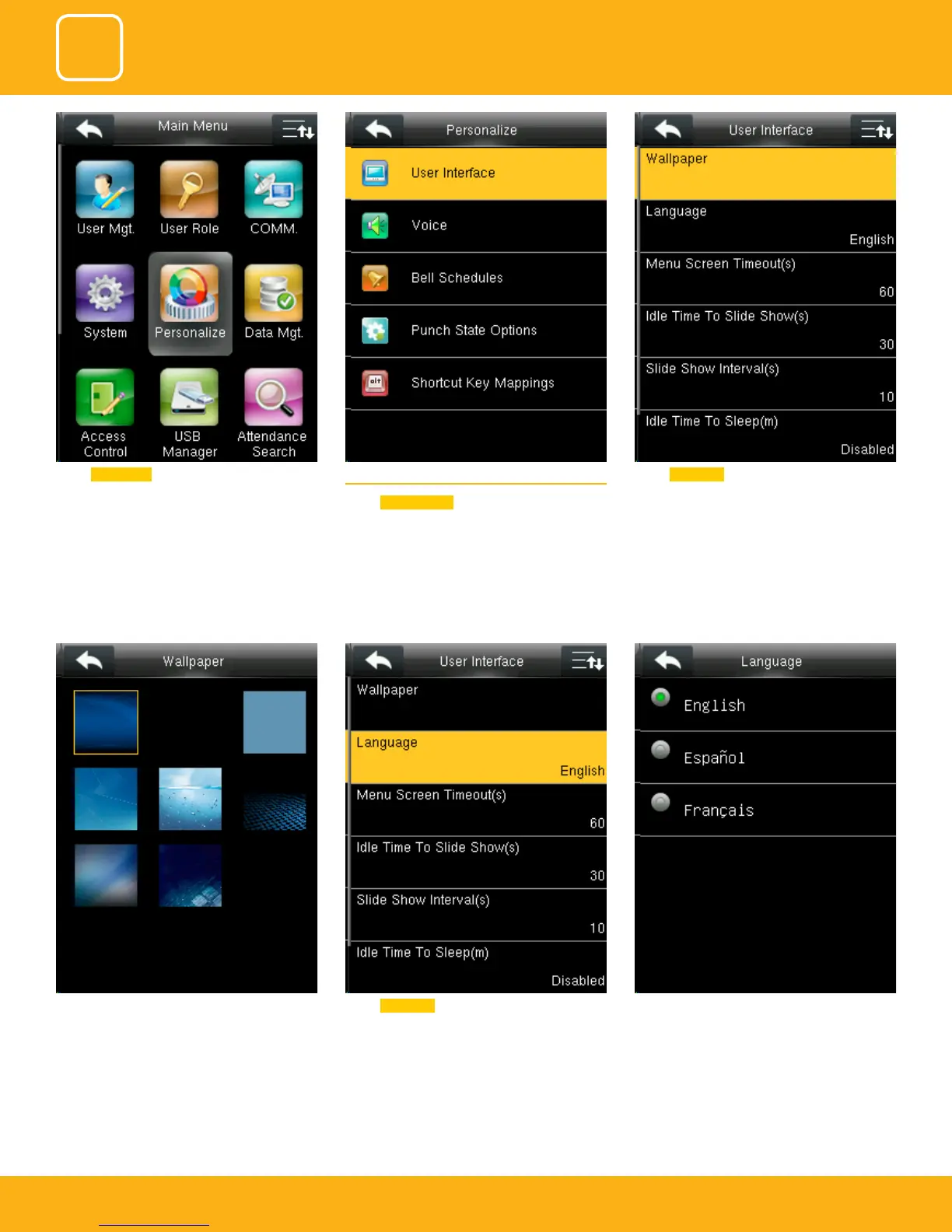
If you select the wallpaper the dierent wallpa-
per will be displayed as shown above and you
can select any of the wallpaper you want to be
displayed.
Select Language . Here you can select the language you wish to
display on the clock. The options are English and
Espanol (Spanish).
Select Personalize . 5.1 USER INTERFACE
Select
User Interface .
Select Wallpaper .



 To Next Page