SHORT MESSAGE
57
10
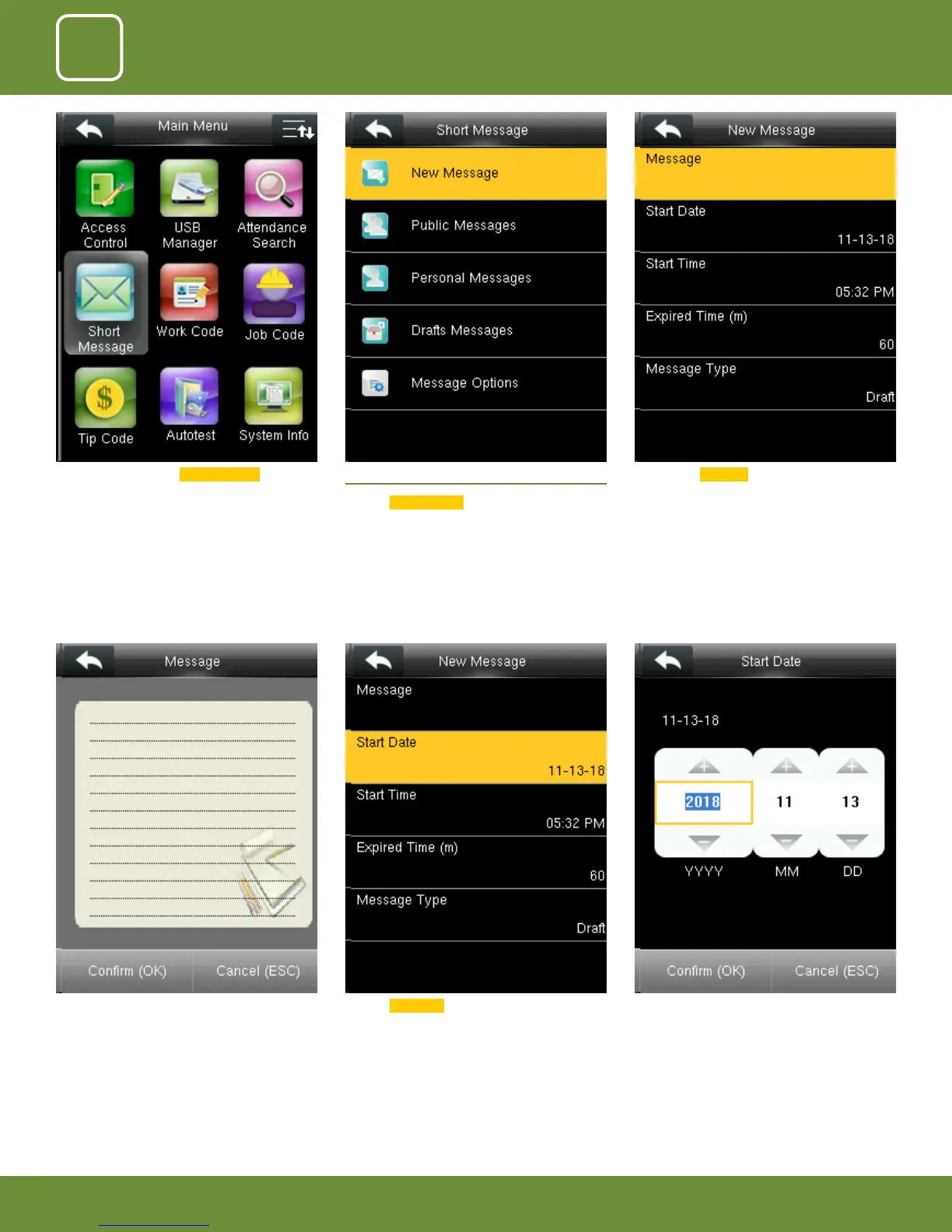
After you click on “Message” the above screen will
appear in which you can type the message with
the help of keypad you wish to send.
Click on Start Date . Here you can edit the date you wish the mes-
sage to be displayed.
Go to Menu and select Short Message . 10.1 NEW MESSAGE
Click on
New Message .
Click on the Message option as shown above.



 To Next Page