JOB CODE
75
12
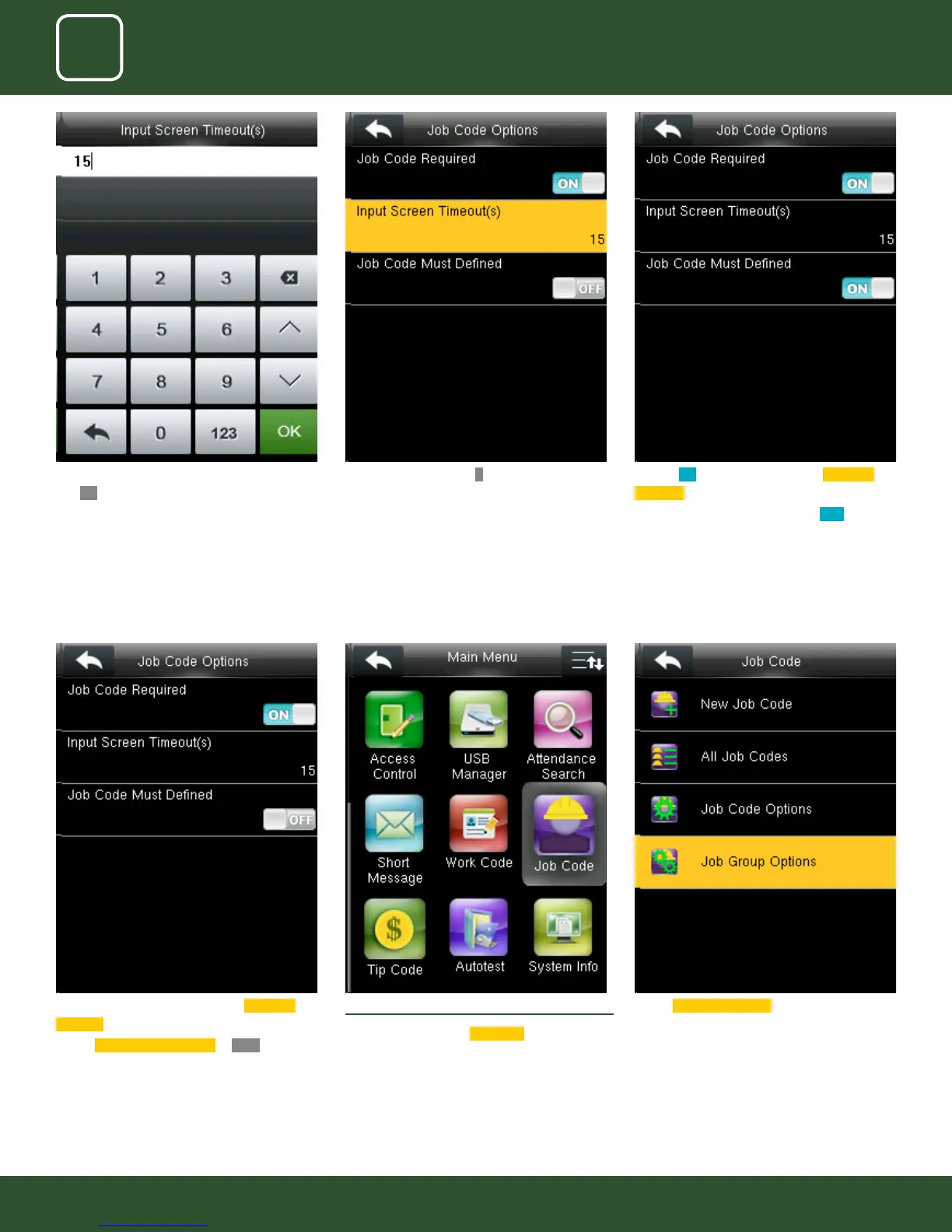
Turning ON options will enable the Job Code
Required function.
Switch
Job Code Must Dened to OFF will
not force a job code to be selected before
verication.
12.4 JOB GROUP OPTION MENU OPERATION
Go to menu and select
Job code .
Select Job Group options .
Here we put 15 seconds and then click on con-
rm
OK function to get that time selected.
After pressing conrm OK function the image
will be displayed as above.
Turning ON options will enable the Job Code
Required function
Switch “Job Code Must Dened” to
ON to force a
job code to be selected before verication
The input screen timeout for job code is selected
as 15 seconds as shown above.
This screen will appear when you press the set
job group name.



 To Next Page