COMMUNICATION
18
3
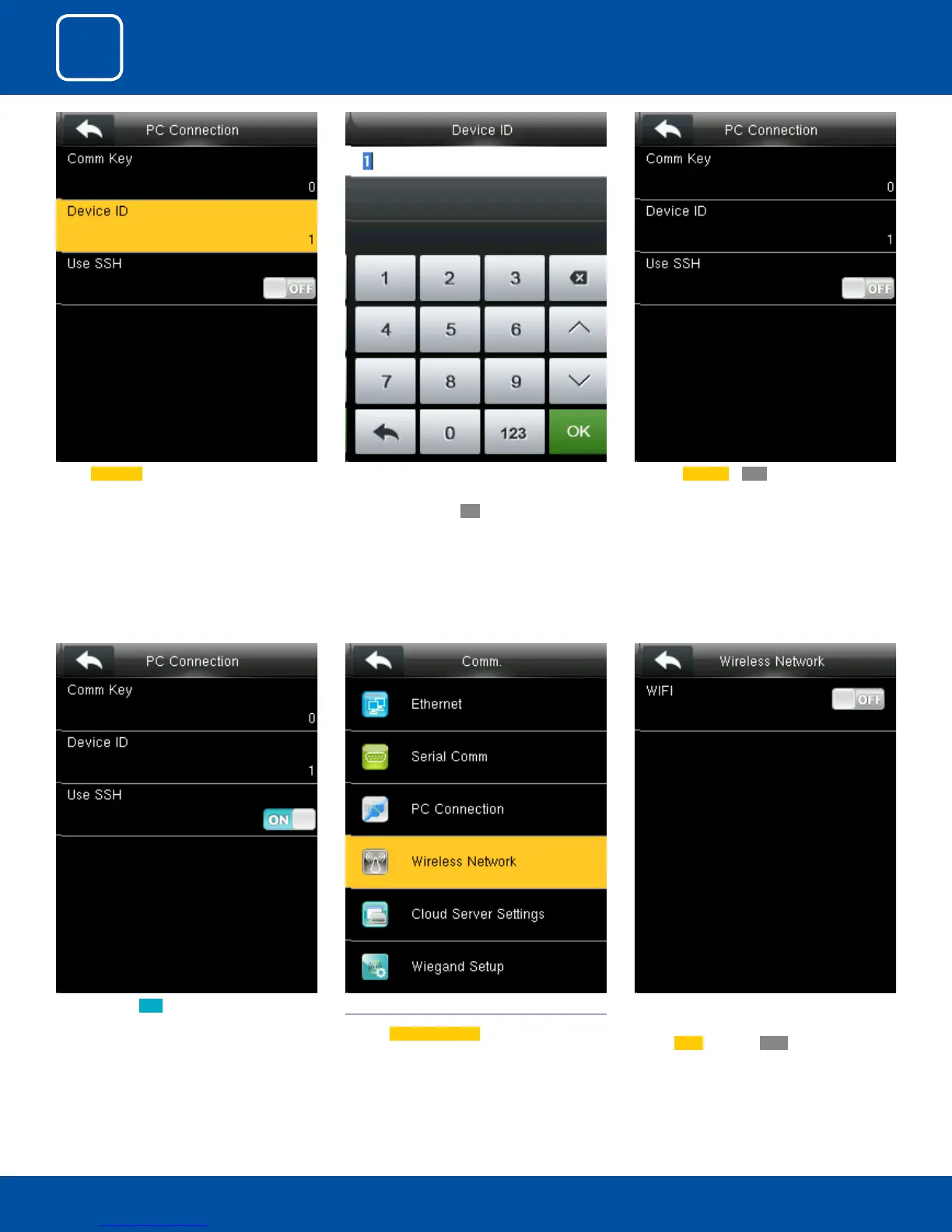
When you turn ON the “SSH” function the de-
vice will restart automatically as shown above.
When this function is enabled you cannot “Tel-
net” into the clock as it will disable that function.
3.4 WIRELESS NETWORK
Click on
Wireless Network .
When you select the wireless network option
the following window will appear in which as a
default
Wi-Fi would be OFF .
Select Device ID . Here you can put the number for this device by
using the keypad in the input screen as above
and hit press conrm
OK.
Here the Use SSH is OFF



 To Next Page