USB MANAGER
52
8
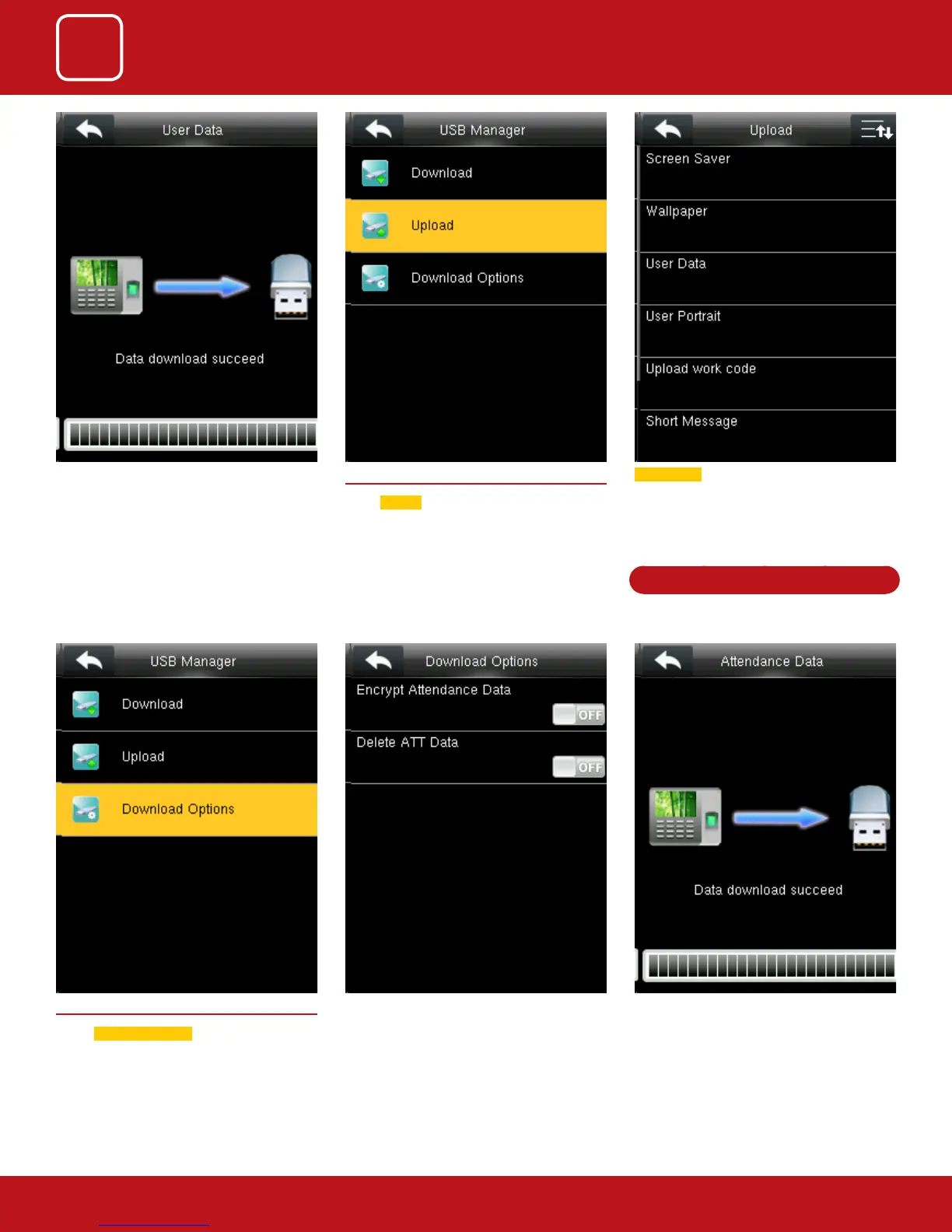
8.3 DOWNLOAD OPTIONS
Select
Download Options .
Select items. When the setting is completed,
save the setting and exit.
This will download all the encrypted attendance
data of the employee.
The short message will be displayed by the
administrator and will be import from terminal
to USB disk.
8.2 UPLOAD
Select
Upload .
In Upload it will upload all the data from USB disk
to terminal.
Screen saver will Upload the JPG documents
with “ad_” as initial letters of document names
stored in a USB disk to the terminal. After the
upload, these pictures can be displayed on the
initial interface of the terminal.
See page 53 for detailed instructions



 To Next Page